

Every successful online venture—whether it is a bustling e-commerce store, a corporate portfolio, or a personal lifestyle blog—starts with a fundamental understanding of digital infrastructure. As you embark on the journey of building a website, you will inevitably encounter a mountain of technical jargon. For beginners and seasoned entrepreneurs alike, the sheer volume of terminology can feel overwhelming.
One of the most frequent questions that arises during this initial phase is: exactly what are hosted domains?
Before comparing different providers, it is worth learning how web hosting works and which features matter most when choosing a plan.
Table of Contents
If you have ever found yourself staring at a checkout screen wondering why you need to buy both a URL and a hosting plan, you are not alone. In this comprehensive guide, we will demystify the technical aspects of website ownership, explore the critical relationship between your web address and your server, and provide actionable tips to help you manage your online presence like a pro.

What Are Hosted Domains?
To properly define domain hosting, we first need to look at the symbiotic relationship between a web address and a physical server. A hosted domain is essentially a registered internet address (like yourwebsite.com) that has been actively configured and connected to a web server where your website’s files live.
Without hosting, a domain is merely an empty placeholder—a name without a home. Once it is hosted, it becomes a functional, live gateway that directs internet users to your content.
The Great Divide: Domain Name vs. Web Hosting
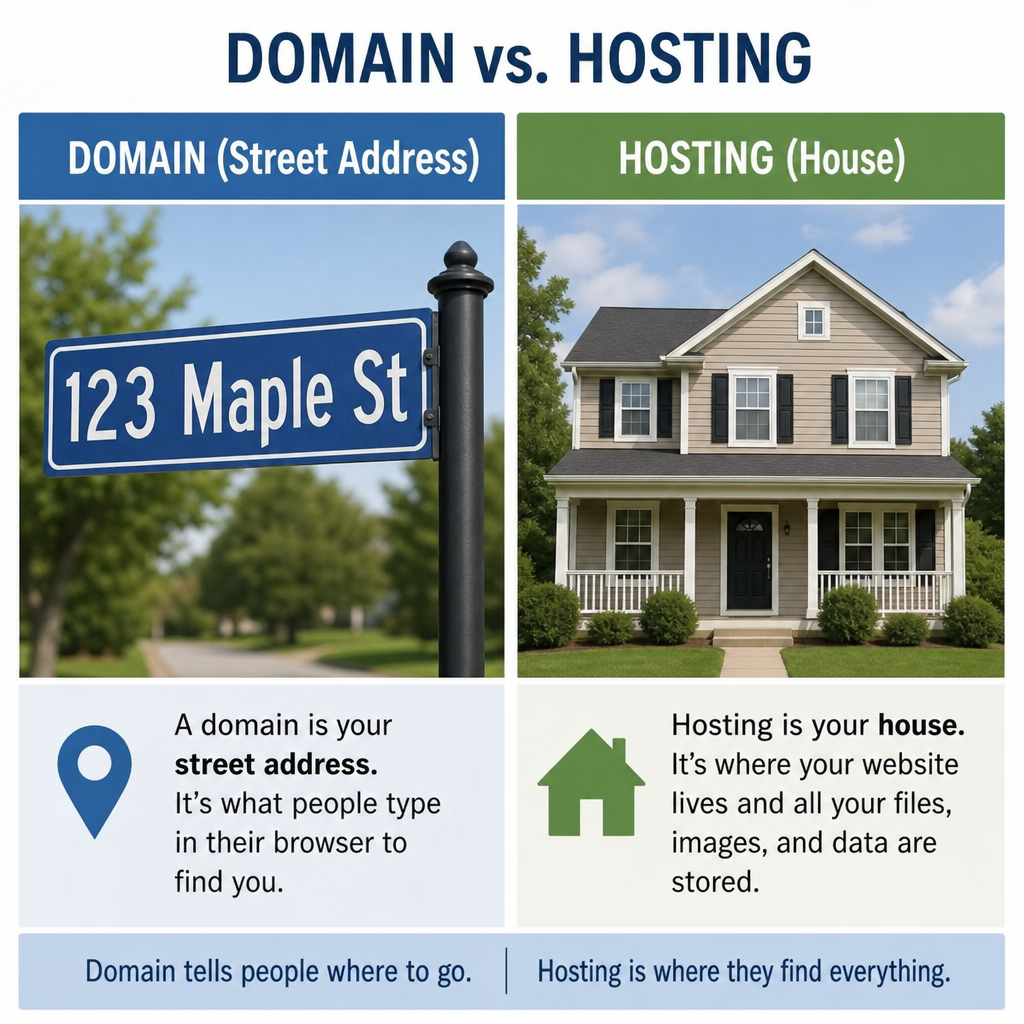
One of the biggest hurdles for beginners is grasping the relationship between a domain name and web hosting. The most effective way to understand the difference between domain name and web hosting is by using a classic real estate analogy.
- The Domain Name: This is your street address. It tells visitors exactly where to find you on the vast map of the internet.
- The Web Hosting: This is the physical plot of land and the house built on it. It is where you store your furniture—or in digital terms, your website’s code, images, videos, and text files.
When looking at domain registration vs hosting, remember that they serve entirely different purposes. Registration grants you the exclusive legal right to use a specific name for a set period, while hosting is a rental agreement for server space.
The debate of domain hosting vs web hosting (often interchangeably referred to as website hosting vs domain or web hosting vs domain) boils down to this: they are two halves of the same whole. When evaluating a domain vs a hosting package, understand that one simply cannot function to deliver a website without the other.
The Technical Engine: Connecting the Dots
So, how do these two separate entities talk to each other? Connecting your address to your server requires understanding dns records and nameservers.
The Domain Name System (DNS) is essentially the internet’s phonebook. It translates human-readable addresses (like google.com) into machine-readable IP addresses (like 192.168.1.1). Here is a quick breakdown of how to make that connection happen.
How to Point Domain to Web Server
If you purchase your domain from one company and your hosting from another, you will need to manually connect them.
- Locate your Nameservers: Log into your web hosting account and find your nameserver details (usually looking something like ns1.yourhost.com and ns2.yourhost.com).
- Access your Registrar: Log into the account where you bought your domain.
- Update DNS Settings: Navigate to the DNS management tab and replace the default nameservers with the ones provided by your web host.
- Save and Wait: Save your changes and wait for the update to take effect.
Once you hit save, you trigger the domain name system propagation process. This is the time required for internet nodes and service providers across the globe to update their directories with your new location. While sometimes instantaneous, DNS propagation can take anywhere from 24 to 48 hours to complete fully.
Organizing Your Digital Real Estate
As your brand expands, your digital footprint will likely grow with it. Modern web hosting control panels (like cPanel or custom dashboards) make managing multiple domains on one account incredibly straightforward. You can oversee several different websites without needing to purchase separate hosting plans for each one.
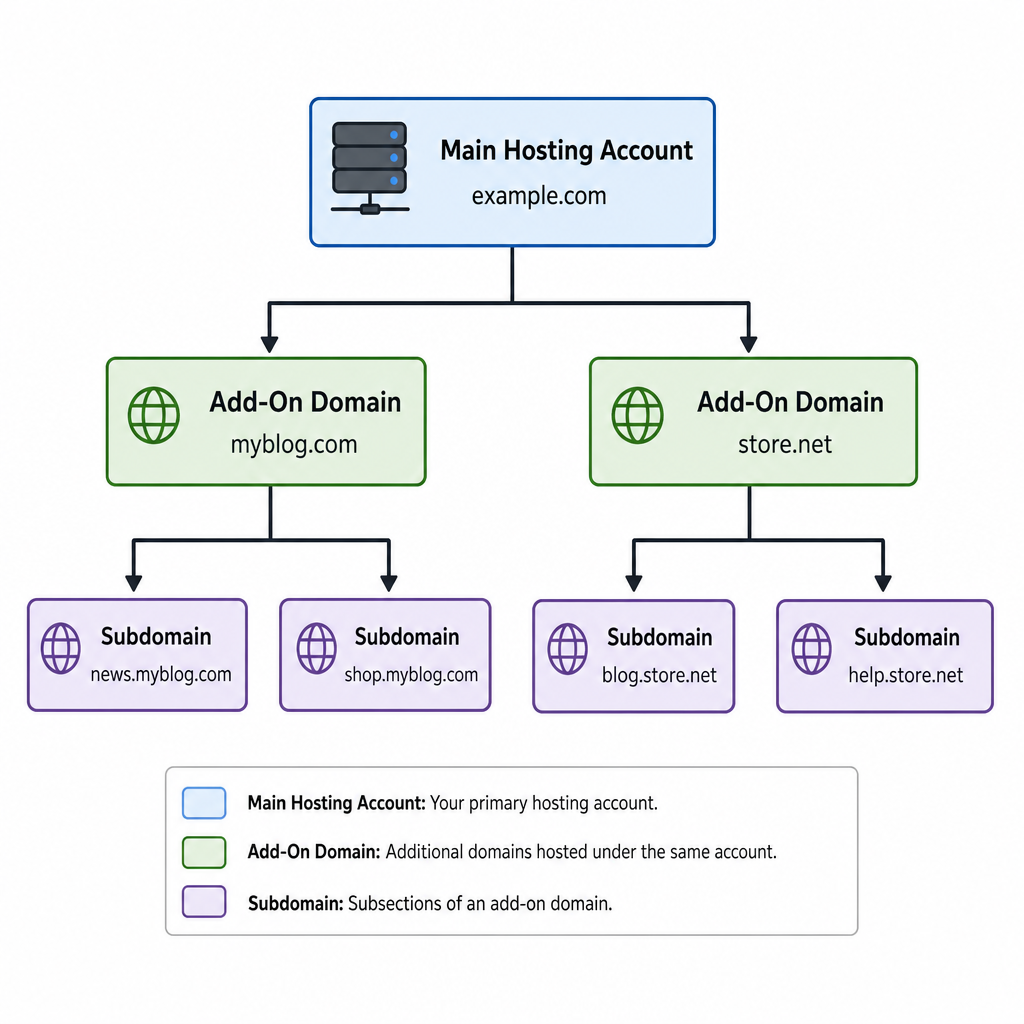
When expanding, you will face the choice of add-on domains vs subdomains:
- Add-on Domains: These are entirely unique, separate websites hosted under your primary hosting account (e.g., anotherbusiness.com). They look and act completely independent of your main site.
- Subdomains: These are child directories of your primary domain, used to organize different sections of your business (e.g., store.yourwebsite.com or blog.yourwebsite.com). They do not require you to register a new domain name.
Building Your Website: Hosting Environments
When deciding where your domain will ultimately point, you have several routes you can take. A major decision involves choosing between self-hosting vs third-party hosting.
- Self-Hosting: This involves renting space on a server and installing a Content Management System (CMS) like WordPress.org yourself. It offers maximum flexibility, ownership, and customization, but requires a steeper learning curve.
- Third-Party Hosting (Managed Platforms): Platforms like Shopify, Wix, or Squarespace provide an all-in-one solution. They handle the server maintenance, security, and updates for you.
If you choose the latter, linking a domain to a website builder is usually a highly automated, one-click process. Most website builders have integrated tools that automatically update your DNS records if you purchase the domain directly through them, or they provide step-by-step wizards to connect a domain purchased elsewhere.
Essential Domain Management Strategies
Your digital journey begins with choosing a reliable domain registrar. A registrar is an organization accredited by ICANN to manage the reservation of internet domain names. When selecting a registrar, prioritize transparent pricing, a clean user interface, and robust customer support.
Understanding the Costs
It is crucial to factor in yearly domain registration costs when budgeting for your website. While a standard .com domain might cost anywhere from $10 to $20 per year, watch out for “first-year” promotional pricing that drastically increases upon renewal. Premium domains (short, highly desirable names) can cost hundreds or even thousands of dollars upfront.
Moving Your Domain
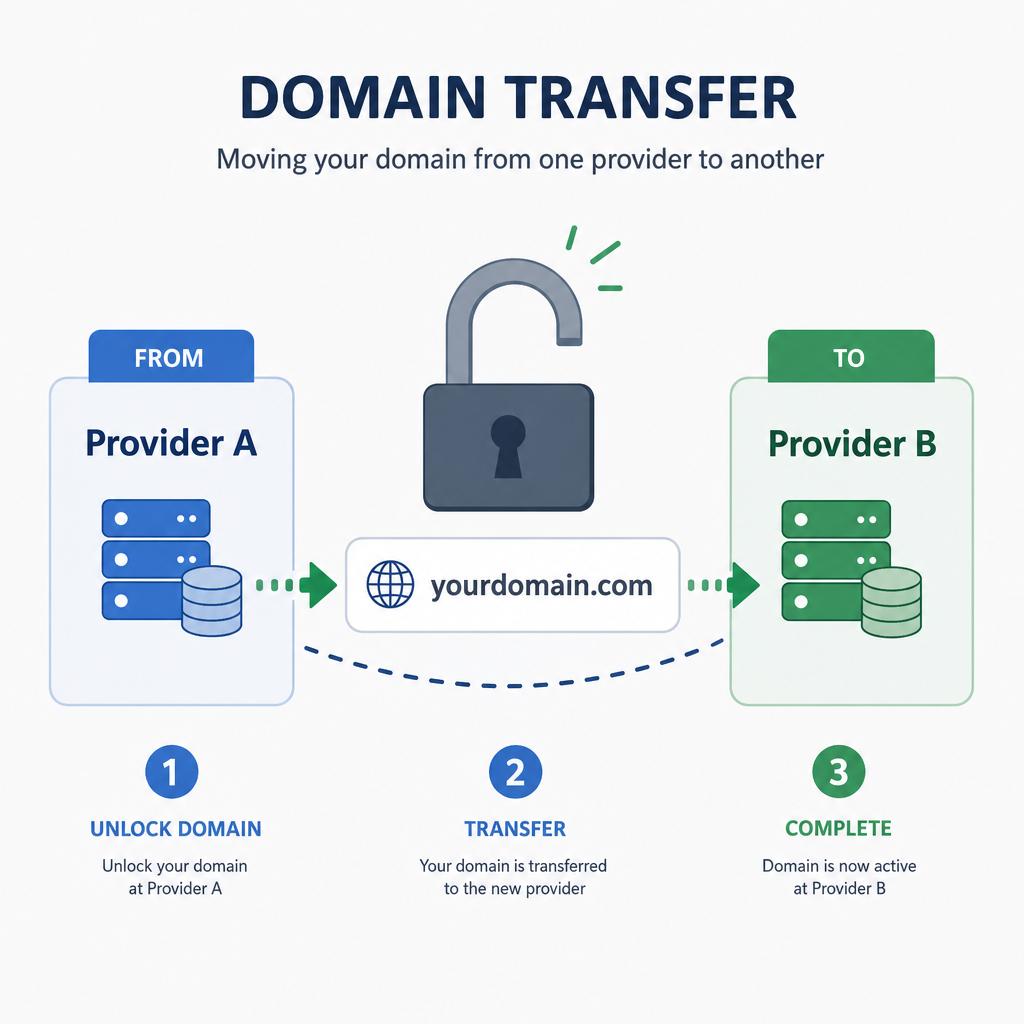
If you find that your current registrar is inflating renewal prices or offering poor support, you are never permanently locked in. Transferring domain names between providers is a standard, highly regulated procedure. It typically involves:
- Unlocking your domain at your current registrar.
- Requesting an authorization code (EPP code).
- Initiating the transfer with your new registrar and entering the code.
- Approving the transfer via an automated email link.
Enhancing Your Domain: Security, Branding, and SEO
Owning a hosted domain is not just about having a live website; it is also about leveraging that asset for maximum security, brand authority, and search visibility.
Security and Privacy
When you register a domain, your personal contact information (name, address, phone number, email) is legally required to be added to the public WHOIS database. To prevent a flood of spam calls and phishing emails, investing in domain privacy protection services is vital. This service replaces your personal data with a proxy, keeping your identity secure.
Additionally, many businesses opt for premium hosting tiers. The benefits of managed domain hosting include automated SSL certificate installations, advanced DNS routing (to prevent DDoS attacks), and automated renewal monitoring so you never accidentally lose your domain due to an expired credit card.
Building Brand Trust
From a branding perspective, one of the first things you should do after your domain is hosted is create professional communication channels. Setting up custom email addresses (such as hello@yourbusiness.com) instantly elevates your credibility and authority compared to using a generic @gmail.com or @yahoo.com address.
SEO Considerations
Finally, website owners frequently wonder about the impact of domain extensions on seo. Your domain extension is the suffix at the end of your web address (e.g., .com, .org, .tech, .store).
From a purely technical standpoint, search engine algorithms (like Google’s) treat most generic top-level domains (gTLDs) equally. A .tech site has the same inherent ranking potential as a .com. However, the indirect impact on SEO is significant.
Internet users inherently trust .com domains. If users are more likely to click on a .com link in the search results than a lesser-known extension, your Click-Through Rate (CTR) increases. Higher CTRs signal to search engines that your site is relevant and trustworthy, which can indirectly boost your rankings. Furthermore, using country-code extensions (like .co.uk or .ca) sends a strong signal to search engines about your geographical target audience, giving you a distinct SEO advantage in local search results.
Summary
Navigating the backend of website creation doesn’t have to be a headache. By understanding the distinct roles of domains and hosting, mastering the basics of DNS, and utilizing the right privacy and branding tools, you set a strong foundation for your digital presence.
A hosted domain is much more than just a technical requirement—it is your permanent address in the digital world. By making informed choices about where you register, how you host, and how you manage your online real estate, you position your brand for long-term growth and success.
For anyone planning to launch an online store, Shopify offers a beginner-friendly platform with tools for managing products, payments and orders in one place.
“This article contains affiliate links, meaning we may earn a commission at no additional cost to You “ editorial@BLAK BEIGE