

Imagine spending months designing the perfect physical storefront, complete with beautiful window displays and premium products, only to realize you forgot to lease the land it sits on or hire a security system to protect it. In the digital world, this is exactly what happens when business owners launch a gorgeous site but overlook the foundational importance of website hosting and maintenance services.
Choosing the right host becomes easier when you compare the leading options, so take a look at our complete review of the fastest web hosting providers for 2026.
Your website is arguably your most valuable digital asset. It operates as your 24/7 salesperson, customer service representative, and brand ambassador. However, without a reliable engine powering it and a dedicated mechanic keeping it tuned, even the most beautifully designed site will eventually crash, slow down, or fall victim to cyber threats.
Table of Contents
Whether you are launching your first blog or upgrading an expanding e-commerce store, understanding the mechanics of your digital foundation is critical. Let’s dive deep into everything you need to know about keeping your online presence fast, secure, and consistently available.

Demystifying Web Hosting: The Foundation of Your Site
Before we talk about upkeep, we have to talk about real estate. Every website on the internet requires a physical space to store its files, images, and code.
What Are Web Hosting Services?
At its core, web hosting services provide the digital land where your website lives. When you purchase hosting, you are renting space on a physical computer (a server) that runs continuously, ensuring your site is accessible to anyone who types your URL into their browser.
This process, often referred to generally as server hosting, is the backbone of the internet. Today, the market offers a massive variety of hosting solutions tailored to different needs, traffic volumes, and technical expertise levels. From shared servers where hundreds of sites share resources to dedicated environments built for enterprise-level traffic, reliable hosting providers are the gatekeepers of your digital uptime.
Managed Hosting vs Unmanaged Hosting
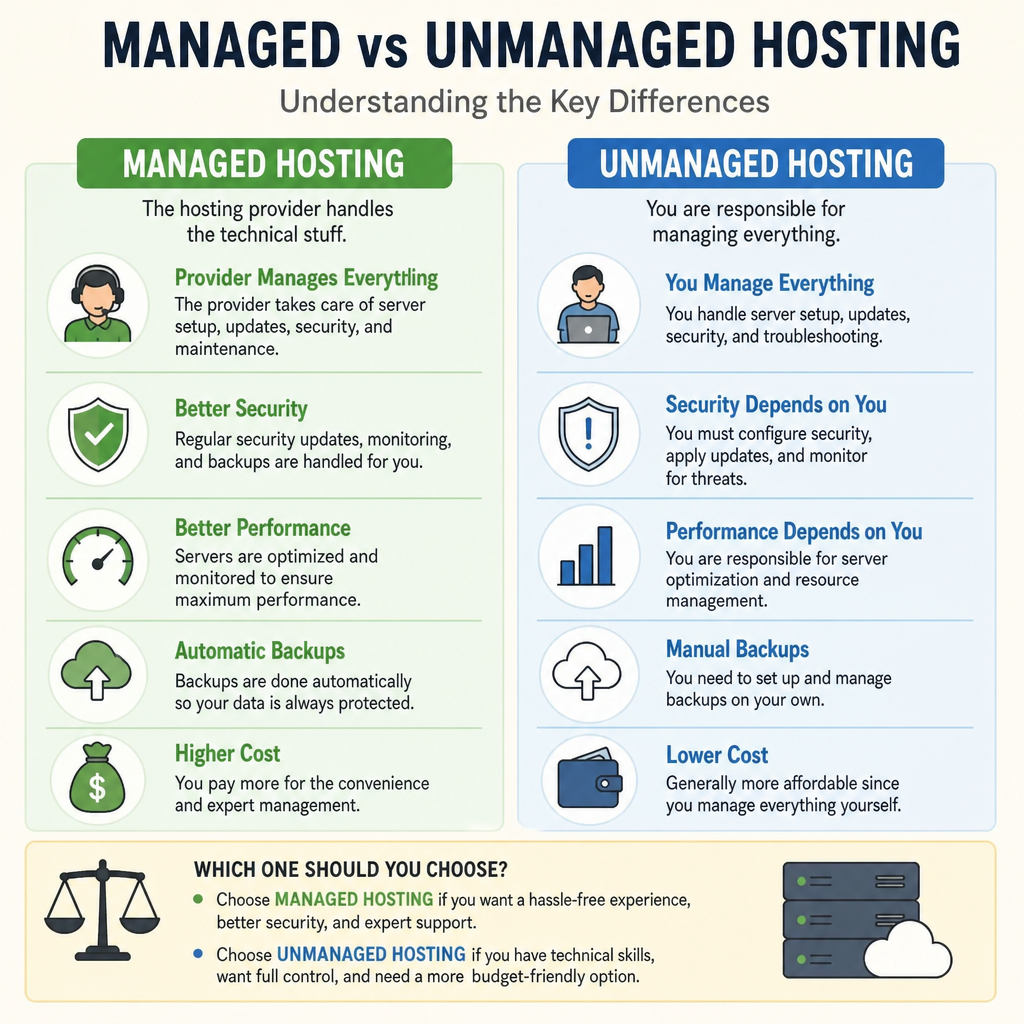
As you explore your options, you will quickly encounter a major fork in the road: managed hosting vs unmanaged hosting. Understanding this distinction is vital.
- Unmanaged Hosting: Think of this as renting an empty apartment. The host provides the server and the operating system, but you are entirely responsible for configuring the server, installing software, handling security patches, and fixing it if it breaks. It is cheaper, but it requires significant technical knowledge.
- Managed Hosting: This is like staying in a luxury hotel. The host takes care of the technical heavy lifting, including server configuration, security protocols, and automated updates. For most business owners who want to focus on their core operations rather than server administration, managed hosting is the clear winner.
How to Choose a Web Host for Beginners
If you are starting from scratch, the sheer number of options can be overwhelming. When figuring out how to choose a web host for beginners, prioritize these three factors:
- Reliability (Uptime Guarantee): Look for providers that offer at least a 99.9% uptime guarantee.
- Customer Support: When your site goes down on a Friday night, you need 24/7 support via live chat or phone, not an email ticket system that takes days to resolve.
- Room for Growth: Ensure the host allows you to easily upgrade your plan as your traffic increases.
Benefits of Cloud Hosting for Small Business
One of the most popular modern solutions is cloud hosting. Instead of relying on a single physical server, cloud hosting draws resources from a network of connected virtual and physical servers.
The benefits of cloud hosting for small business are immense. First, it offers unparalleled scalability; if a marketing campaign goes viral, your hosting can automatically scale to handle the traffic spike without crashing. Second, it provides excellent reliability, as a hardware failure on one server simply means another server in the network instantly takes over.
Beyond the Launch: The Critical Role of Website Maintenance
Many website owners operate under a “set it and forget it” mentality. They assume that once a site is live, the work is done. In reality, a website is a living, breathing piece of software. Browsers update, coding languages evolve, and hackers constantly invent new ways to exploit vulnerabilities.
This is why ongoing website maintenance is not optional—it is a necessity. Securing high-quality website hosting and maintenance services ensures that the digital home you built remains structurally sound.
What is Included in a Website Care Plan?
To take the burden off business owners, web agencies and IT professionals offer comprehensive packages. But exactly what is included in a website care plan? While plans vary by provider, a robust package should encompass security monitoring, software updates, regular backups, performance checks, and access to dedicated website support for minor edits and troubleshooting.
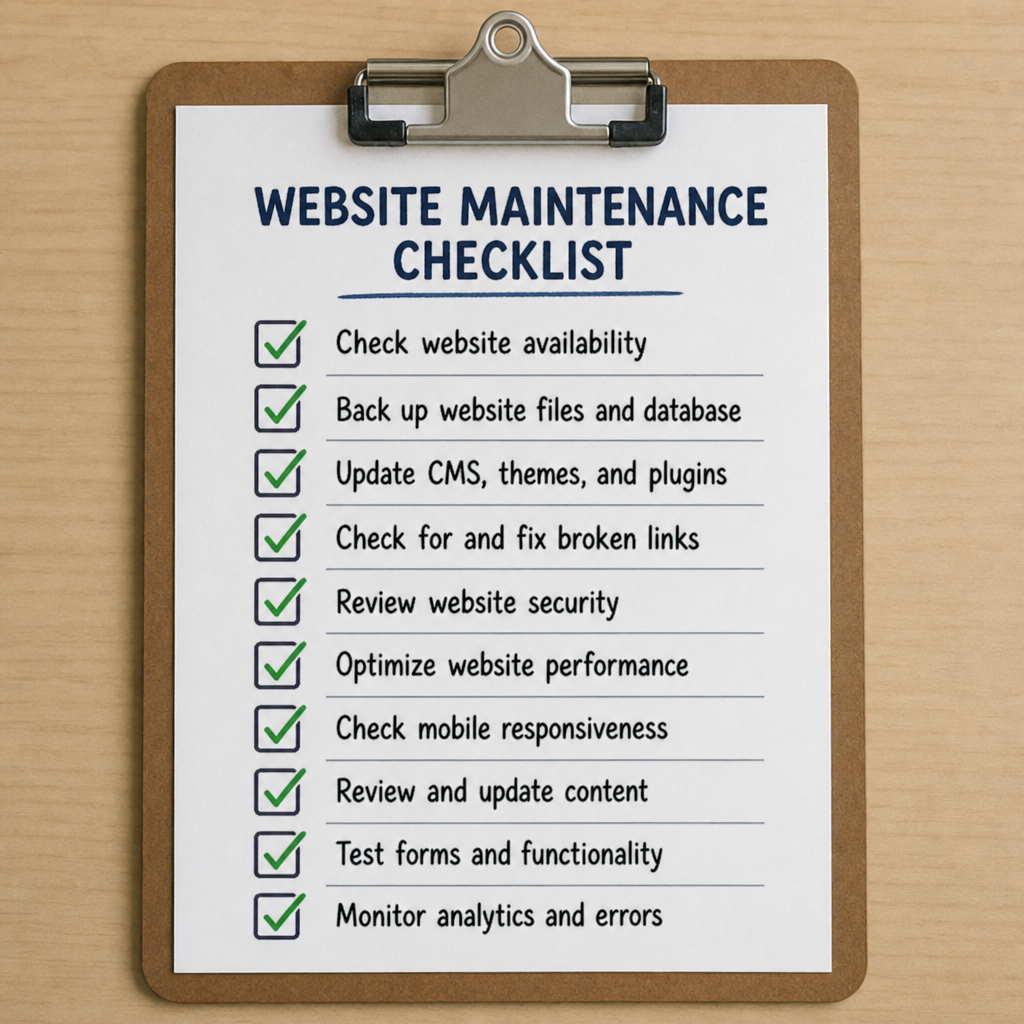
Your Essential Monthly Website Maintenance Checklist
If you decide to handle your site’s upkeep internally, you need a strict, repeatable process. Here is a foundational monthly website maintenance checklist to keep your site in top condition.
1. Fortifying Your Digital Security
Preventing website security breaches should be your top priority. Cyberattacks don’t just target major corporations; small business websites are frequently targeted by automated bots looking for vulnerabilities.
- SSL Verification: Ensure your SSL certificate installation and renewal processes are up to date. An SSL certificate encrypts the data passing between your site and your visitors, which is critical for protecting passwords and credit card info (and it gives you that trustworthy padlock icon in the browser address bar).
- Vulnerability Scans: Run monthly malware scans to catch malicious code before it impacts your visitors.
2. Safeguarding Your Data
Imagine waking up to find your website completely wiped out by a rogue line of code or a malicious hack.
- Automated Daily Website Backups: Never rely solely on your hosting provider’s default backup. Implement your own automated daily website backups and store them off-site (like in a secure cloud storage account).
- Disaster Recovery: Test these backups monthly. Having backups means you can seamlessly utilize emergency website recovery services to restore your site to its exact state from the day before, minimizing downtime and lost revenue.
3. Keeping Software Current
Outdated software is the number one cause of website hacks.
- WordPress Core and Plugin Updates: If you use WordPress (which powers over 40% of the internet), staying on top of WordPress core and plugin updates is non-negotiable. Developers constantly release patches to fix security holes. Delaying these updates leaves your front door wide open for hackers.
Speed and Performance: Keeping Visitors Happy
A secure site is great, but if it takes ten seconds to load, no one will stick around to see it. User experience and Search Engine Optimization (SEO) are heavily tied to how fast your pages render.
Fixing Slow Loading Times
Modern internet users have zero patience for sluggish websites. Fixing slow loading times requires a multi-pronged approach:
- Content Delivery Network Integration: A Content Delivery Network (CDN) stores cached versions of your website on servers located all around the globe. CDN integration ensures that if a user in London visits your US-based website, they download the heavy image files from a server in the UK, drastically reducing load times.
- Uptime Monitoring and Performance Optimization: You can’t fix what you don’t track. Employ tools that offer constant uptime monitoring and performance optimization. These tools ping your site every minute and alert you the second it goes offline or starts responding slowly.
- Database Optimization Techniques: Over time, your website’s database becomes cluttered with post revisions, spam comments, and transient options left behind by deleted plugins. Utilizing regular database optimization techniques clears out this digital hoarding, allowing your server to retrieve necessary data much faster.
The Value of Professional Website Support
As your business grows, your time becomes increasingly valuable. Spending three hours on a Tuesday afternoon trying to figure out why a plugin update broke your homepage layout is not a productive use of your energy as a founder or manager.
The Cost of Professional Site Management
Some business owners hesitate at the cost of professional site management, viewing it as an unnecessary overhead. However, it is essential to reframe this cost as a digital insurance policy.
Consider the alternative: What is the cost of your website being offline for three days during a peak sales season? What is the reputational damage of a customer data breach? When viewed through this lens, investing in combined website hosting and maintenance services pays for itself rapidly.
Having an expert team on standby means that when things go wrong—and in technology, they inevitably will—you have immediate website support. You aren’t desperately Googling solutions; you are simply sending an email to your web team and getting back to running your business.

Conclusion: Building a Sustainable Digital Presence
Your website is the heart of your digital marketing, lead generation, and customer engagement efforts. Treating it as a one-time project is a recipe for slow speeds, security vulnerabilities, and eventual digital decay.
By investing in high-quality web hosting services, prioritizing proactive security, and adhering to strict maintenance protocols, you ensure that your site remains a powerful asset rather than a stressful liability. Whether you choose a hands-on approach with a dedicated checklist or opt to outsource everything to an agency for complete peace of mind, remember that a healthy website is the foundation of a thriving modern business. Choose your hosting wisely, maintain your site diligently, and watch your online presence flourish.
Ready to launch or upgrade your website? Visit Hostinger and compare its hosting plans to find the right option for your needs.