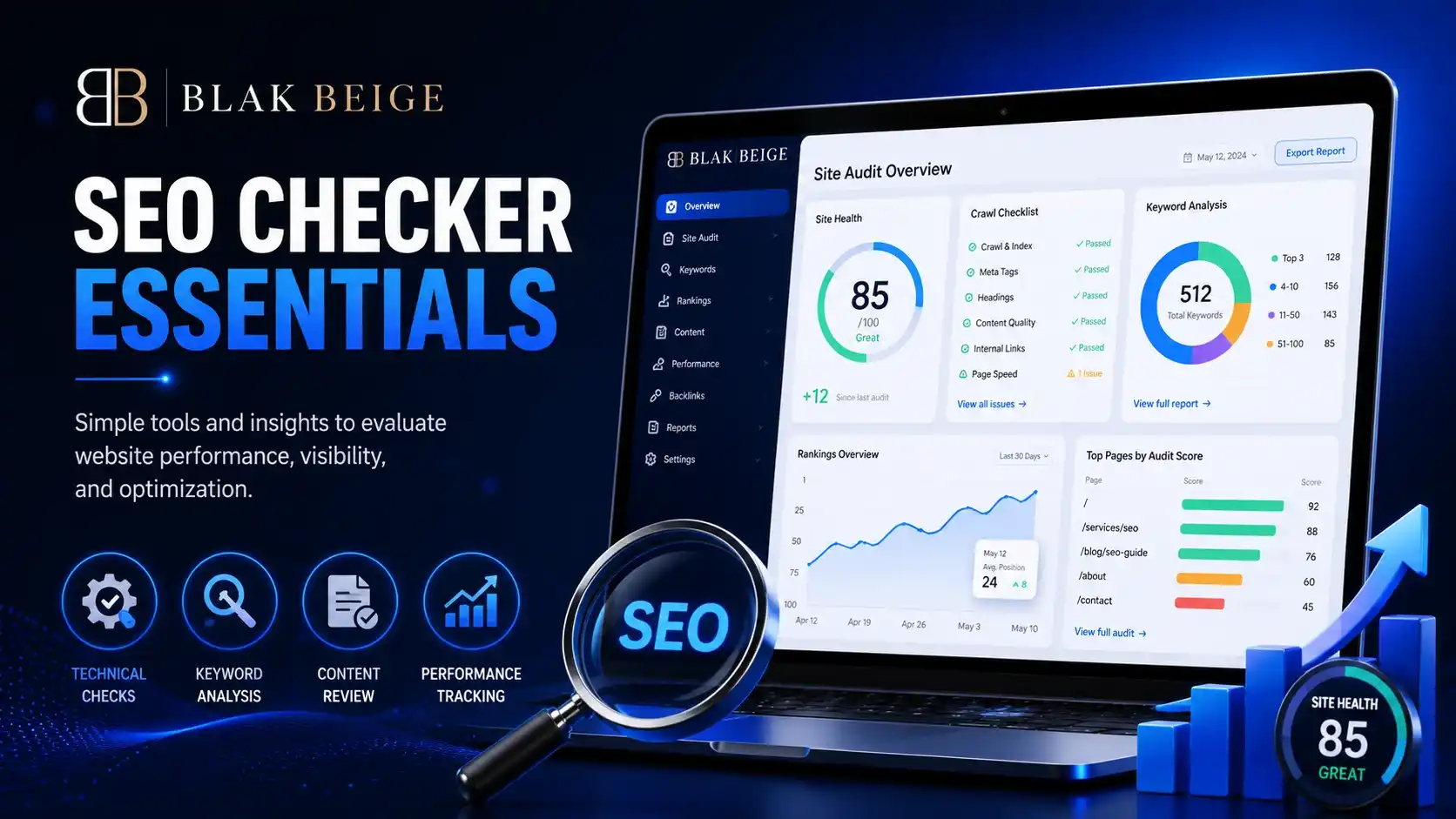
Understanding the Basics of SEO Checkers
Imagine spending weeks, or even months, crafting the perfect website. You have launched it with an eye-catching design, written compelling copy, and showcased your products beautifully. Yet, when you search for your business on Google, your website is nowhere to be found.
Table of Contents
This is a common frustration for many website owners. In the vast digital landscape, simply having a website is not enough; search engines need to understand, categorize, and rank it. This is where understanding what is a seo checker becomes absolutely vital to your digital marketing strategy.
Running an seo online test is the equivalent of taking your car to a mechanic for a diagnostic check. It reveals what is working perfectly under the hood and what needs immediate repair. Whether you are a small business owner, a passionate blogger, or an aspiring digital marketer, mastering these diagnostic tools is the first step toward dominating search engine results pages (SERPs).

What Exactly is a SEO Checker?
At its core, if you are wondering what is a seo checker, it is a specialized diagnostic tool designed to evaluate your website’s search engine optimization. Think of it as highly intelligent, automated site scanning software that crawls your web pages much like Google’s own search bots do.
When you run your domain through one of these tools, it conducts a comprehensive seo survey of your site’s architecture, content, and external authority. It evaluates dozens—sometimes hundreds—of ranking factors in a matter of seconds. Instead of manually checking every single page for broken links, missing image text, or slow loading times, the software automates the entire process.
The ultimate goal of this tool is to provide you with actionable data. It takes the guesswork out of digital marketing by highlighting the exact roadblocks preventing your website from reaching the top of Google.
Decoding the Metrics: What is SEO Score?
When your scan is complete, the first thing you will usually see is a prominent number, often color-coded in red, yellow, or green. But what is seo score, exactly?
Your website seo score is a grade assigned to your site based on its overall optimization, performance, and technical health. While different platforms use slightly different algorithms for seo scoring, the underlying principle remains the same: it is a numerical representation of how well your site adheres to search engine guidelines.

Understanding Your SEO Scorecard
When you look at your seo scorecard, you will typically see a grade out of 100.
- 80 to 100 (Green): Your site is well-optimized. You have a high seo rate, meaning search engines can easily crawl, index, and understand your content.
- 50 to 79 (Yellow): Your site is functional but has noticeable issues. You might be missing key optimization elements or struggling with page speed.
- 0 to 49 (Red): Your site is in poor health. Major technical roadblocks are likely preventing search engines from ranking your pages.
This overall metric is closely tied to your site health score meaning. The health score specifically focuses on the technical integrity of your website—looking for things like server errors, broken links, and security certificates. A high site health score means a technically sound website, which forms a solid foundation for all your other marketing efforts.
Key Website Audit Tool Features You Should Know
Not all scanning tools are created equal, but the industry standard ones share a common set of capabilities. Understanding these website audit tool features will help you extract the maximum value from your audits.
1. On-Page Optimization Elements
Content is king in the SEO world, and a good checker evaluates how well your content is structured. The software will scan your on-page optimization elements to ensure you are targeting the right keywords without overdoing it. A critical part of this is meta tags and header optimization. The tool will flag missing meta descriptions, title tags that are too long, or pages that lack structured H1 and H2 headers, ensuring your content is readable for both humans and search bots.
2. Technical SEO and Crawlability
Even the best content won’t rank if Google can’t find it. This is where identifying crawl errors becomes crucial. The tool acts as a search engine bot, navigating your site to find dead ends (404 errors), endless redirect loops, and server issues (500 errors).

Furthermore, modern tools integrate a Core Web Vitals report. This evaluates real-world user experience metrics set by Google, such as:
- Largest Contentful Paint (LCP): How fast the main content of a page loads.
- First Input Delay (FID) / Interaction to Next Paint (INP): How quickly a page responds to a user’s first interaction.
- Cumulative Layout Shift (CLS): How visually stable a page is while it loads.
3. Mobile Responsiveness Testing
With over half of all global web traffic coming from mobile devices, Google uses mobile-first indexing. A quality SEO scanner includes mobile responsiveness testing to ensure your site is easy to navigate on smartphones and tablets. It will check for touch elements that are too close together, fonts that are too small to read, and content that stretches wider than the screen.
4. Backlink Profile Analysis
SEO isn’t just about what happens on your website; it is also about your reputation across the web. Comprehensive tools offer backlink profile analysis, evaluating the quantity and quality of external websites linking to yours. They help you identify toxic backlinks that might be dragging your authority down, as well as opportunities to build new, high-quality links.
How to Use SEO Audit Software Effectively
Having a powerful tool is great, but knowing how to use seo audit software is what actually drives results. It is easy to feel overwhelmed by the sheer volume of data an audit produces. Here is a practical workflow to help you turn data into higher rankings.

Step 1: Run the Initial Scan
Enter your URL and let the automated site scanning software do its job. Depending on the size of your website, this could take anywhere from a few seconds to a few hours.
Step 2: Interpreting SEO Report Results
Once the scan is done, resist the urge to panic if your score is low. Interpreting seo report results requires prioritization. Most tools categorize issues by severity: Errors (critical issues), Warnings (important but not immediate emergencies), and Notices (best practices). Always sort your report to address the critical Errors first.
Step 3: Fixing Technical Site Errors
Start your optimization journey by fixing technical site errors. These are the foundational cracks in your digital house.
- Fix broken links: Ensure all internal and external links point to live pages.
- Cure redirect chains: Update links to point directly to the final destination rather than passing through multiple redirects.
- Improve page speed: Compress large images and leverage browser caching to improve your Core Web Vitals report.
Step 4: Optimize On-Page Content
Once the technical foundation is secure, move on to your Warnings and Notices. Update your meta tags, ensure your keyword placement is natural, and structure your articles with clear header optimization.
Free vs Paid SEO Scanners: Which is Right for You?
As you begin your journey, you will quickly notice a divide in the market: free vs paid seo scanners. Choosing the right one depends entirely on your budget, experience level, and the size of your website.
Free SEO Checkers
For small blogs or local businesses just starting out, free tools are highly valuable. Tools like Google Search Console or limited free versions of popular software are often considered the best website analyzer for beginners. They provide a foundational understanding of your site health, point out obvious crawl errors, and give you a taste of basic keyword tracking. However, free tools usually limit the number of pages you can crawl per day and lack deep competitive analysis features.

Paid SEO Scanners
If you are managing a large e-commerce site, running an agency, or heavily relying on organic traffic for revenue, a paid tool is a necessary investment. Premium software offers deep backlink profile analysis, historical data tracking, and comprehensive, unmetered site crawls. Try SEMRUSH a one in all for all your SEO requirements.
One of the greatest advantages of premium tools is the website performance tracking benefits. Instead of just taking a one-time snapshot of your site, paid tools monitor your website 24/7. They alert you the moment a critical page drops in rankings or a technical error occurs, allowing you to fix issues before they impact your traffic.
Conclusion: Taking Control of Your SEO Health
Understanding what is a seo checker is the gateway to taking control of your digital presence. You can’t fix what you don’t know is broken, and in the highly competitive world of search engine optimization, ignorance is not bliss—it is lost revenue.
By regularly running your site through an automated scanner, you gain invaluable insights into your website seo score and overall digital health. From mobile responsiveness testing to fine-tuning your meta tags, these tools provide a clear, actionable roadmap for success.
Whether you opt for a free beginner tool or invest in a comprehensive premium suite, the most important step is simply to begin. Run your first audit today, interpret the results methodically, and start fixing those errors. With consistency and the right data, you will watch your site climb the search engine rankings, bringing more visibility, traffic, and growth to your online presence.
For the complete process, read our complete guide for SEO for Small Businesses.