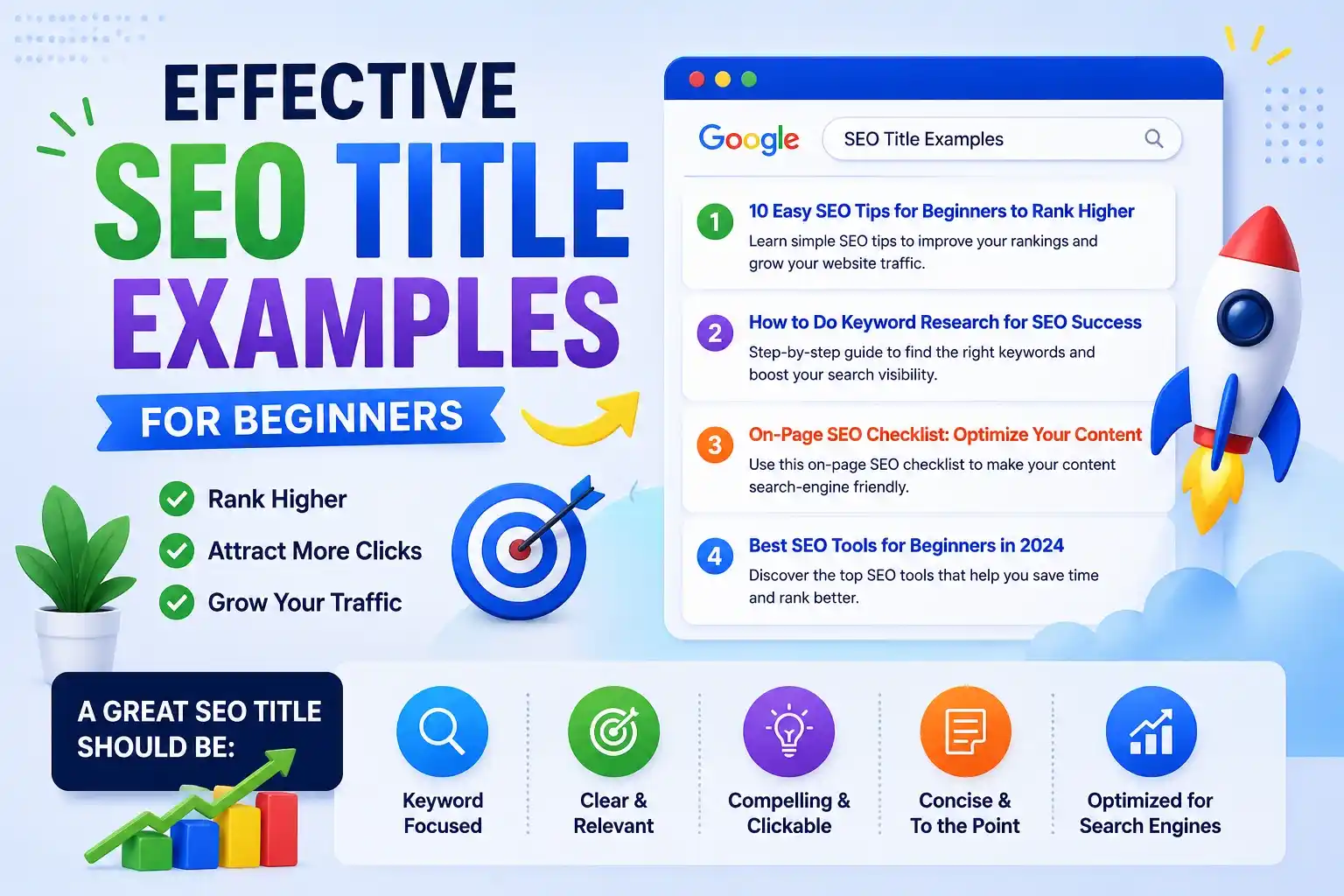
Effective SEO Title Examples for Beginners
Imagine spending hours crafting the perfect blog post, optimizing every image, and ensuring your content is top-tier. You hit publish, wait a few weeks, and check your analytics, only to find that your traffic is flat. What went wrong? In many cases, the culprit is the very first thing your audience sees: your title.
Table of Contents
Your headline is your digital storefront. If it doesn’t entice people to walk in, the quality of your interior doesn’t matter. If you are a beginner wondering how to write a title tag that not only ranks high on Google but also makes users want to click, you are in the right place.
In this comprehensive guide, we will break down the mechanics of crafting the perfect headline, explore proven seo title examples, and share actionable tips to transform your search performance.
What is a Title Tag?
Before we dive into strategies, we must answer a fundamental question: what is a title tag?
An seo title tag is a piece of HTML code found in the head section of a webpage that dictates the title of that specific page. It acts as a concise, accurate description of the page’s content. You will typically see this tag in three places:
- Search Engine Results Pages (SERPs): It is the clickable blue link that appears when users search for a query.
- Web Browser Tabs: It helps users identify your page when they have multiple tabs open.
- Social Media Networks: When someone shares your link on platforms like Facebook or X (formerly Twitter), this title is usually pulled to form the preview card.
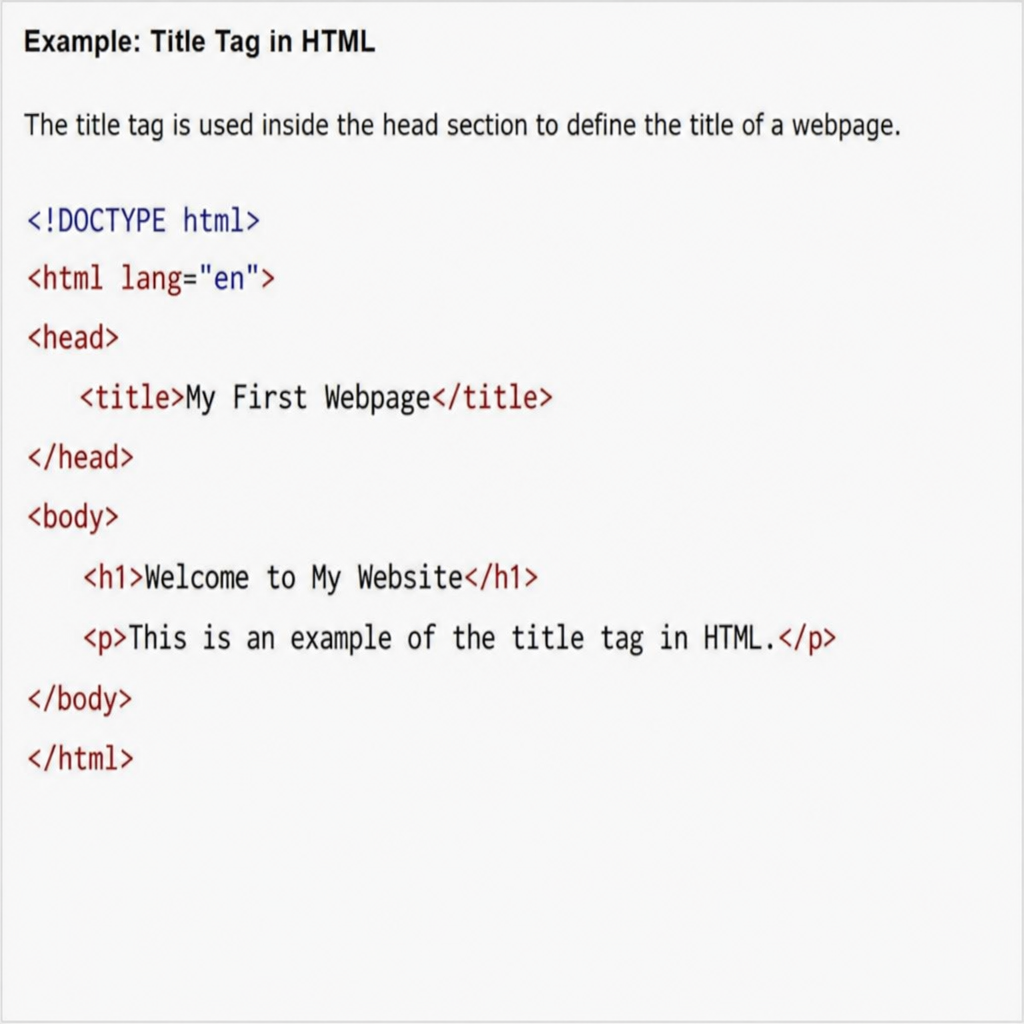
A classic example of title tag in HTML looks like this: <title>Best Running Shoes for Beginners – ShoeBrand</title>
The Difference Between H1 and Meta Title
A very common point of confusion for beginners is the difference between h1 and meta title. While they sound similar and often contain the exact same words, they serve different purposes.
- Meta Title (Title Tag): This is intended for search engines and users browsing the search results. It lives in your site’s backend HTML and is heavily restricted by character limits.
- H1 Tag: This is the main headline visible to readers after they click the link and land on your actual webpage. Because it is on your site, you aren’t restricted by Google’s display limits.
It is perfectly fine—and sometimes beneficial—to have a slightly longer, more conversational H1 on your page, while keeping your meta title optimized and punchy for the SERPs.
Why Your Search Engine Optimization Title Tag Matters
Your search engine optimization title tag does heavy lifting for your website in two primary ways:
First, it helps search engines understand the context of your page. Google’s algorithms read your title to determine what your content is about and whether it is relevant to a user’s search query.
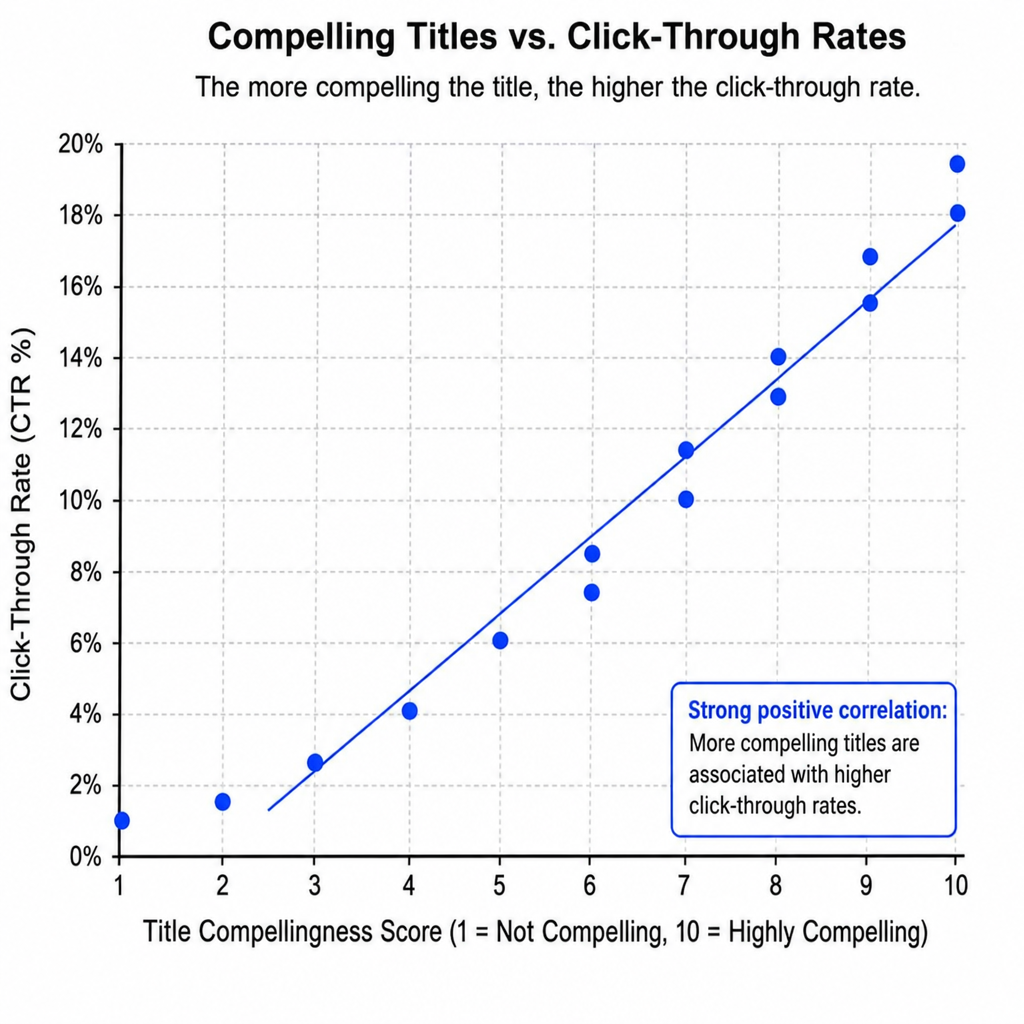
Second, it is incredibly vital for improving click-through rate with title tags. Ranking on the first page of Google is only half the battle. If your competitor in the #3 spot has a more compelling, engaging title than you do in the #2 spot, they will likely steal your traffic.
Meta Title Tag Best Practices
Learning how to write title tags for seo requires a mix of technical knowledge and copywriting skills. Follow these meta title tag best practices to ensure your headlines perform optimally.
1. Respect the Length Limits
Google only provides a certain amount of pixel space for titles. The recommended character limit for title tags is generally between 50 and 60 characters. If your title is longer than this, Google will cut it off with an ellipsis (…).
Preventing title truncation in search results is essential because a cut-off headline can confuse users and look unprofessional. When writing, it is also important to consider desktop versus mobile serp display differences. Mobile screens often allow slightly more characters to wrap onto a second line, but keeping your core message within the 60-character safe zone guarantees it looks great everywhere.
2. Prioritize High Volume Keyword Placement
Search engines read from left to right. Therefore, high volume keyword placement in headlines should ideally happen as close to the beginning of the title as possible.
If your target keyword is “vegan protein powder,” your title should be “Vegan Protein Powder: Top 10 Picks for 2024” rather than “The Top 10 Best Choices for 2024’s Vegan Protein Powder.” Front-loading your keywords immediately reassures the searcher that your page is exactly what they are looking for.
3. Smart Brand Placement
Should you include your business name in your title? Absolutely, but usually at the end. Placing brand names at the end of titles (e.g., Primary Keyword – Brand Name) builds brand awareness without pushing your most important keywords out of the visible snippet. The only exception to this rule is your homepage or an “About Us” page, where your brand name is the primary keyword.
4. Choose Your Generation Method Wisely
When setting up a website, you will need to choose between manual vs automated title generation methods.
- Automated Generation: Most SEO plugins (like Yoast or RankMath) automatically generate titles using a formula like [Post Title] – [Site Name]. This is great for massive websites with thousands of pages.
- Manual Generation: For your most important pages, blog posts, and products, writing them manually allows you to inject creativity and optimize for user intent.
How to Write Clickable Headlines for Search
Knowing the technical rules is great, but understanding how to write clickable headlines for search requires consumer psychology. You want to trigger curiosity, offer a clear benefit, and promise a solution.
One of the most effective strategies is using emotional triggers for increasing search clicks. Words like effortless, proven, essential, exclusive, secret, or ultimate stand out in a sea of boring search results.
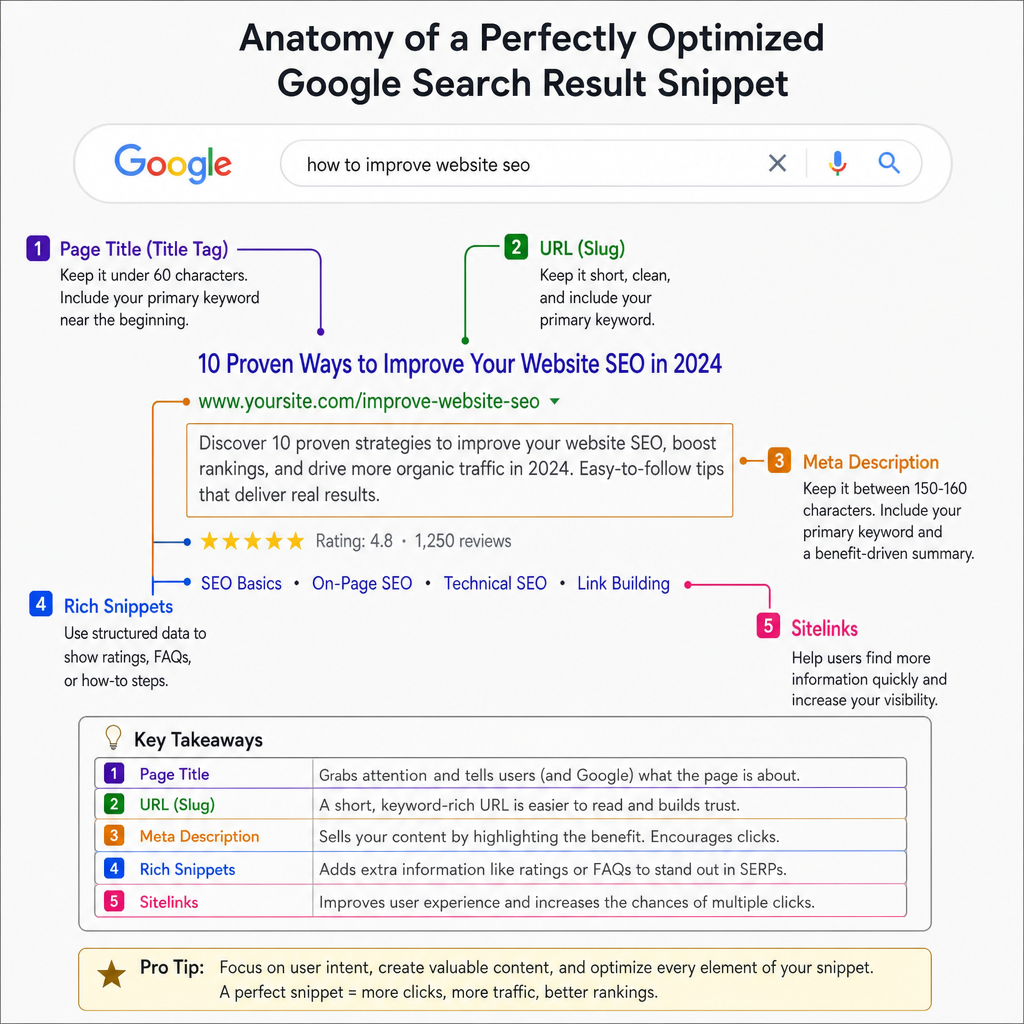
Furthermore, you should always visualize the appearance of google search result snippets. Does your title pair well with your meta description? Does it match the user intent behind the search? For example, if someone searches for “how to fix a leaky faucet,” they want a guide, not a product page.
Effective SEO Title Examples by Category
Let’s look at some real-world seo title examples to see these principles in action. By breaking these down by industry, you can see how different formulas apply to different intents.
1. Headline Formulas for E-commerce Product Pages
E-commerce titles need to be highly specific. Shoppers are usually looking for a precise item, model, or feature.
The Formula: [Brand/Manufacturer] + [Product Name] + [Top Feature/Model Number] | [Your Store Name]
Effective SEO Title Examples:
- Nike Air Zoom Pegasus 39 – Men’s Running Shoes | ShoeLocker
- Sony WH-1000XM5 Wireless Noise Canceling Headphones | TechHub
- Organic Cotton King Size Bed Sheets – White | SleepWell
Notice how these titles front-load the most important product details, ensuring the shopper knows exactly what is on the page before they click.
2. Local Business Page Title Optimization
Local businesses need to capture high-intent users searching for services in their specific geographic area. Local business page title optimization relies heavily on coupling the service with the city or neighborhood.
The Formula: [Primary Service] in [City/Location] | [Unique Selling Proposition] | [Brand]
Examples:
- Emergency Plumber in Chicago, IL | 24/7 Service | WindyCity Pipes
- Best Italian Restaurant in Downtown Seattle | Luigi’s
- Affordable Roof Repair Austin TX | Free Estimates | TexasRoofers
These titles instantly answer three questions for the searcher: What do you do? Where are you? Why should I choose you?
3. Blog Posts and Information Guides
When users search for information, they are looking for comprehensive, up-to-date, and easy-to-digest content.
The Formula: [Format/Number] + [Primary Keyword] + [Emotional Trigger/Year]
Examples:
- 15 Proven SEO Title Examples to Boost Your Traffic (2024)
- How to Train a Puppy: The Ultimate Step-by-Step Guide
- Vegan Meal Prep: 7 Effortless Recipes for Beginners
Using numbers (listicles), brackets, and current years signals to the reader that the content is structured, valuable, and fresh.
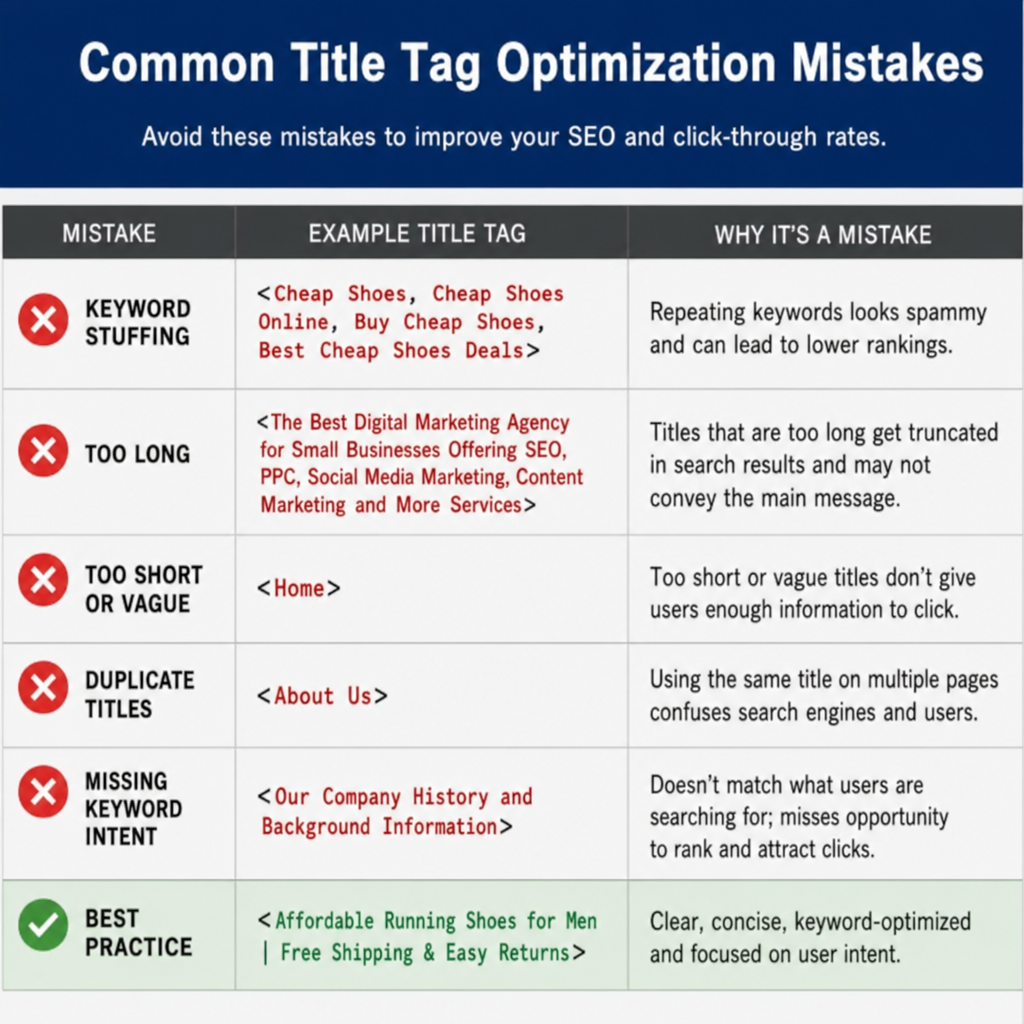
Common Title Tag Optimization Mistakes
As you experiment with writing your own headlines, beware of these common title tag optimization mistakes that can tank your rankings:
- Keyword Stuffing: Writing titles like “Cheap Shoes, Buy Shoes, Tennis Shoes, Footwear – ShoeStore” looks spammy to both users and search engines. Google may even penalize your site or choose to rewrite your title entirely. Write for humans first, engines second.
- Duplicate Title Tags: Every single page on your website must have a unique title tag. If you have duplicate titles, search engines won’t know which page to rank, often resulting in neither page ranking well.
- Missing Title Tags: If you forget to include a title tag, Google will automatically generate one by scraping the content on your page. This rarely results in an optimized or enticing headline.
- Being Vague: Titles like “Home” or “Products” or “About” waste valuable SEO real estate. Always be descriptive. E.g., instead of “Services,” use “Professional Dog Grooming Services in Boston.”
Conclusion: Start Crafting Better Titles Today
Mastering the art of the title tag is one of the highest-ROI activities in search engine optimization. It requires minimal time to execute but can drastically alter your website’s trajectory.
By understanding exactly what these tags are, sticking to character limits, placing your keywords strategically, and appealing to human emotion, you can turn your pages into click-magnets. Keep our formulas handy, avoid the common pitfalls, and refer back to these seo title examples whenever you find yourself struggling to write the perfect headline.
Remember, a great piece of content deserves a great introduction. Give your pages the headlines they deserve, and watch your organic search traffic soar.
Learn more on how to boost your search position