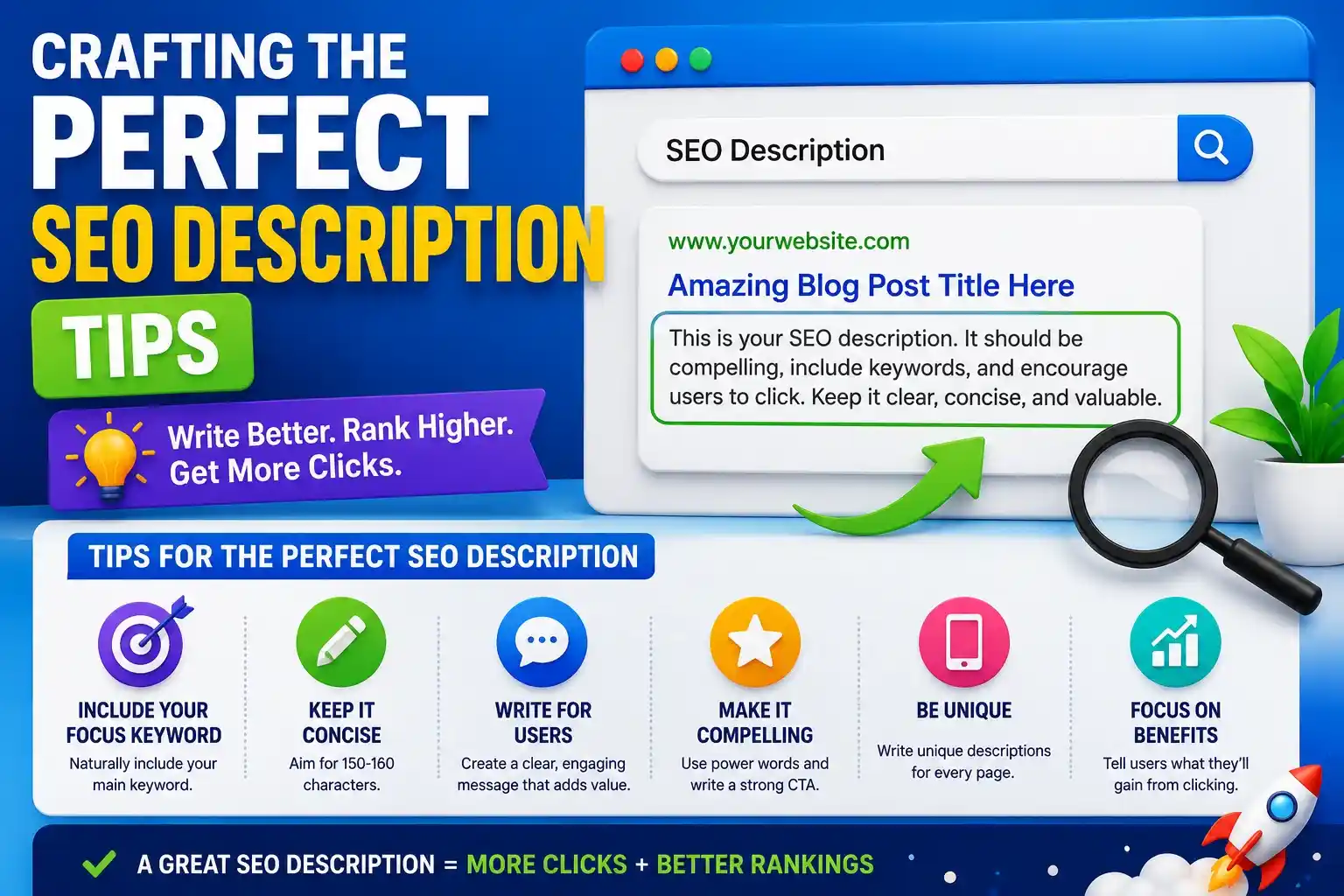
Crafting the Perfect SEO Description Tips
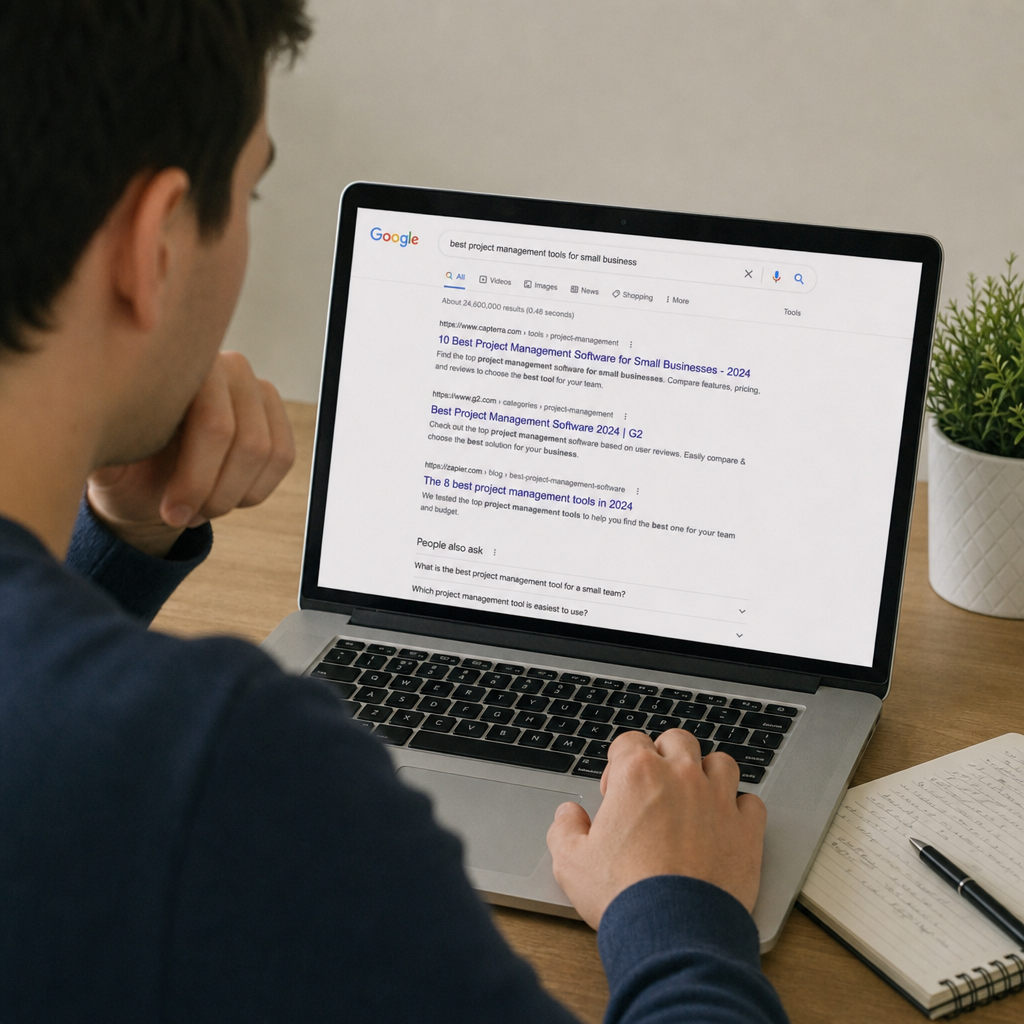
Imagine staring at a page of Google search results. You’ve typed in your query, and now you’re presented with ten blue links. What makes you click on one over the other? While the title catches your eye, it is the brief snippet of text beneath it that ultimately convinces you to click. That crucial snippet is known as an seo description, and it is arguably your most powerful tool for capturing organic traffic.
Table of Contents
If you have spent any time building a website, you know that ranking well is only half the battle. The other half is actually getting users to click on your link. This is where mastering the art of the seo description comes into play. By focusing on improving organic click-through rate (CTR), you can drive more traffic to your site without needing to climb higher in the search rankings.
In this comprehensive guide, we will break down exactly how to craft the perfect search snippets, explore best practices, and help you avoid common pitfalls.
Understanding the Basics: What is a Meta Description?
For those diving into html meta tags for beginners, a meta description is a brief HTML attribute that provides a summary of a webpage. Search engines like Google often display this summary in search results, right below the clickable page title.
When looking at a title tag vs meta description comparison, think of the title tag as the headline of a newspaper article and the meta description as the subheadline. The title’s job is to grab attention and satisfy ranking algorithms, while the description’s job is to provide context, outline value, and persuade the reader to take action.
The profound impact of metadata on user engagement cannot be overstated. A well-written snippet acts as an organic advertisement. It builds trust, clarifies the page’s intent, and filters out users who aren’t looking for what you offer, ensuring the traffic you do get is highly relevant.
Size Matters: Desktop vs. Mobile Snippets
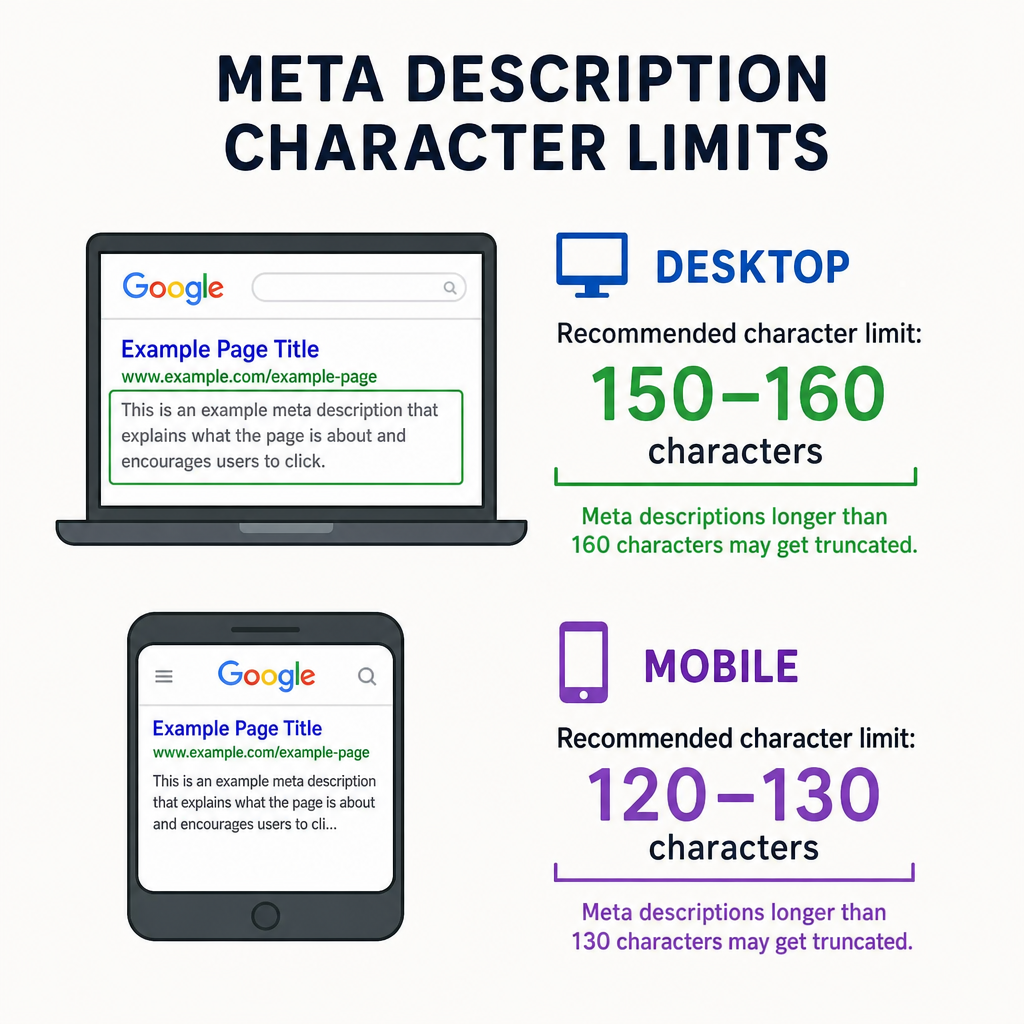
Before you start writing, you need to understand the canvas you are working with. Search engines truncate (cut off) descriptions that are too long, replacing the end of your carefully crafted sentence with an ellipsis (…).
Currently, the optimal meta description length for desktop searches is generally between 150 and 160 characters. However, with mobile searches dominating the digital landscape, you must also account for the character count limit for mobile snippets, which typically hovers around 120 characters.
Pro Tip: To ensure your message is never lost, front-load your most important information. Put your core value proposition and primary keywords within the first 110 characters. This ensures your key message remains intact, regardless of the device your audience is using.
The Blueprint: How to Write a Good Meta Description
Figuring out how to write a meta description that truly performs requires a mix of copywriting psychology and SEO fundamentals. Here is a step-by-step approach to help you master how to write compelling search snippets:
1. Match Search Intent Perfectly
Before typing a single word, ask yourself: Why is the user searching for this? Are they looking to buy a product, learn a concept, or find a local service? Your snippet must immediately signal that you hold the exact answer or solution they are looking for.
2. Focus on Value, Not Just Features
If you are wondering how to write a good meta description, the secret lies in highlighting benefits. Instead of saying “We sell organic coffee beans,” say “Start your morning right with our ethically sourced, rich organic coffee beans.” Connect with the user’s desires.
3. Include a Strong Call to Action
Writing effective call to action for serp (Search Engine Results Pages) is a game-changer. Don’t leave the user guessing what to do next. End your description with a clear, active command such as:
- “Shop the new collection today.”
- “Read our full guide to learn more.”
- “Get your free quote now.”
Real-World Inspiration: Good Meta Description Examples
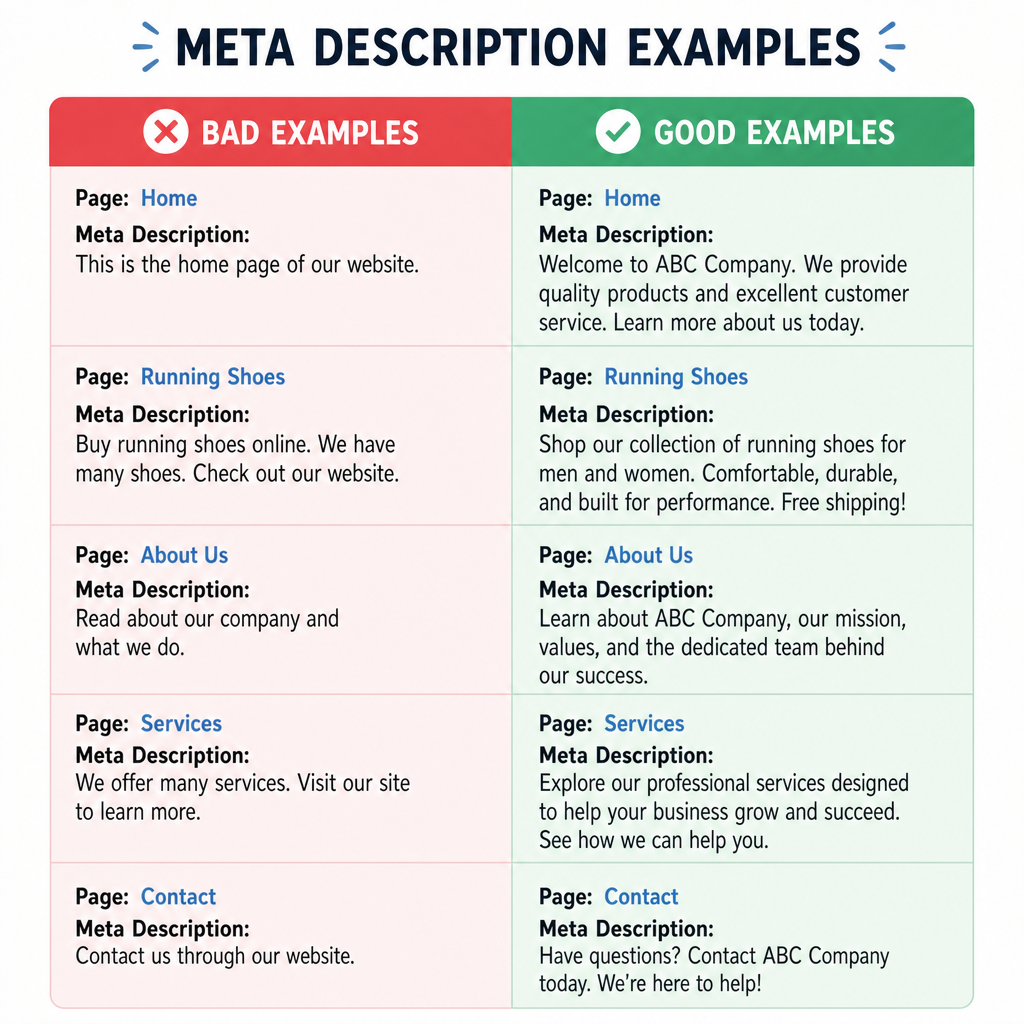
To bridge the gap between theory and practice, let’s look at some good meta description examples across different types of content.
Example 1: E-commerce Product Page
- Bad: “These are our running shoes. They come in blue and red. Buy them.”
- Good: “Upgrade your daily run with our lightweight, breathable running shoes. Available in multiple colors. Enjoy free shipping on orders over $50. Shop now!”
- Why it works: This is one of the classic meta description examples for conversion. It highlights features (lightweight), offers an incentive (free shipping), and ends with a clear CTA.
Example 2: Informational Blog Post
- Bad: “This blog post is about fixing a leaky sink and the tools you need to do it at home.”
- Good: “Tired of that dripping faucet? Learn how to fix a leaky sink in 5 easy steps with our beginner-friendly DIY guide. Click to save on plumbing costs today!”
- Why it works: It follows page summary best practices for blogs by empathizing with the reader’s frustration, outlining exactly what the article provides (5 easy steps), and highlighting a benefit (saving money).
Navigating Metadata: Keywords and Best Practices
In the early days of SEO, website owners would stuff their meta tags with hundreds of keywords. Today, search engines are much smarter.
When looking into meta keywords best practices, it is vital to understand that the traditional “meta keywords” HTML tag has been completely deprecated by Google and most major search engines. Do not waste your time filling out a list of hidden keywords in your site’s backend.
However, seo meta keywords best practices dictate that you should naturally weave your primary search terms into your title and description. Why? Because when a user’s search query matches the text in your snippet, Google bolds those words. This visual highlighting naturally draws the eye and increases clicks.
Furthermore, integrating meta title best practices goes hand-in-hand with your descriptions. Ensure your title tag includes the exact focus keyword, while your description includes long-tail variations and supporting context. They should function as a unified pitch rather than two disconnected sentences.
Contextual Nuance: Social Media vs. Search Results
A common point of confusion for website owners is the difference between a social media preview vs search snippet.
When you share a link on platforms like Facebook, X (formerly Twitter), or LinkedIn, those platforms use “Open Graph” (OG) tags to generate the preview. While your SEO meta description is meant to appeal to a user actively searching for a specific query, an OG description is meant to stop a user from scrolling through a passive social media feed.
You can (and often should) write slightly different descriptions for both. Keep your search descriptions highly relevant to queries, and make your social descriptions more punchy, provocative, or engaging to capture casual attention.
Overcoming Obstacles: Google’s Quirks and Common Mistakes
Even the most seasoned SEO professionals run into roadblocks. Let’s cover some common meta tag mistakes to avoid and how to troubleshoot them.
Why Does Google Ignore My Description?
One of the most frustrating experiences is writing a perfect snippet, only to find it entirely different on the SERP. Understanding why google rewrites search results is crucial for your sanity.
Google’s algorithm aims to provide the most relevant snippet based on the user’s specific query. If your custom description doesn’t directly answer the user’s search, but a random paragraph halfway down your page does, Google will pull that paragraph to form a dynamic snippet. To minimize rewrites, ensure your description accurately and holistically summarizes the page content while naturally including high-volume search terms.
Avoiding Common Mistakes
When applying search engine results page optimization tips, avoid these frequent errors:
- Keyword Stuffing: Cramming too many keywords makes the text unreadable and spammy.
- Duplicate Descriptions: Using the same description across multiple pages confuses search engines and users. Every single page needs a unique summary.
- Using Double Quotes: HTML can sometimes break if you use double quotation marks in your description, causing search engines to cut off the text prematurely. Use single quotes instead.
Fixing Technical Issues
If you are troubleshooting missing meta tags in search, start by checking your page’s source code (Right Click -> View Page Source) and searching for <meta name=”description”. If it’s missing, you may have a configuration issue in your Content Management System (like WordPress, Shopify, or Wix). Ensure your SEO plugins (like Yoast, RankMath, or standard built-in tools) are actively enabled and configured to output the tags you write. Additionally, use Google Search Console to request a re-indexing of the page once you have updated the code.

The Final Takeaway
Mastering your site’s metadata is one of the highest-ROI activities you can perform in digital marketing. A single, well-crafted paragraph has the power to pull thousands of users away from your competitors and onto your website.
By adhering to optimal character lengths, focusing on user intent, crafting persuasive calls to action, and avoiding outdated tactics, you can transform your search snippets from mere afterthoughts into powerful conversion tools. Take a moment today to audit your top-performing pages—are your descriptions doing them justice? If not, it’s time to start writing.
Read more on how to https://blakbeige.com/search-engine-positioning-seo/