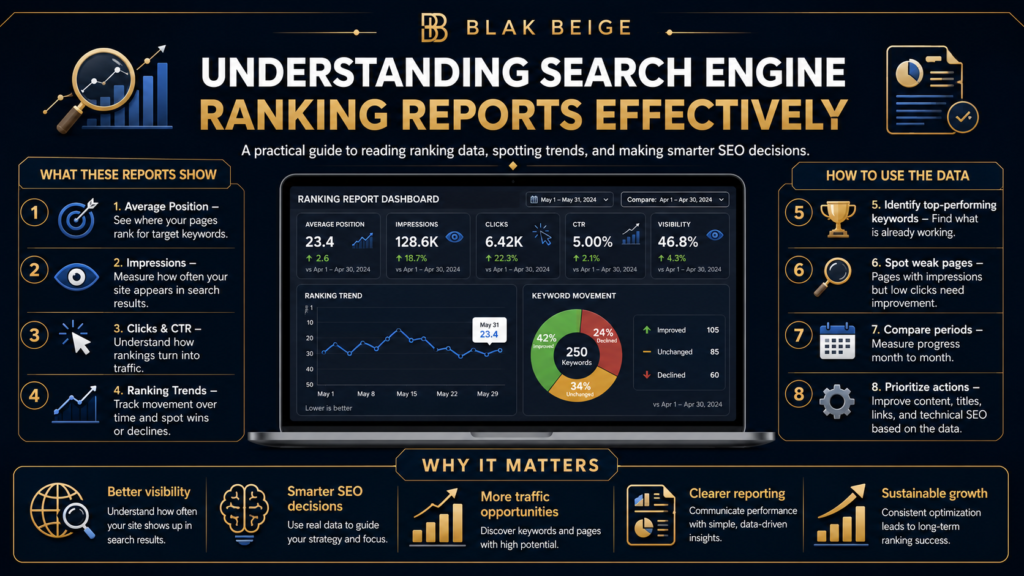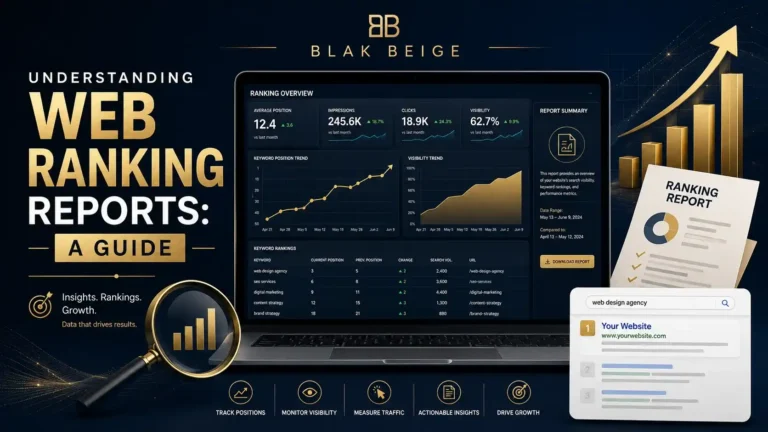
In the ever-evolving landscape of digital marketing, launching a beautifully designed website and publishing high-quality content is only half the battle. The other half is understanding exactly how search engines and users perceive your efforts. This is where search engine ranking reports come into play.
If you are navigating the complex world of Search Engine Optimization (SEO), you already know that data is your most valuable asset. However, raw data without context is just noise. To turn numbers into actionable strategies, you need to understand how to read, interpret, and leverage your ranking reports effectively.
Table of Contents
Let’s dive deep into the mechanics of search ranking reports, explore the best tools for the job, and learn how to transform raw metrics into sustained organic growth.

What Are Search Engine Ranking Reports?
At their core, search engine ranking reports are comprehensive documents or dashboards that show exactly where your website’s pages stand in search engine results pages (SERPs) for specific target keywords.
These reports go far beyond just telling you if you are on page one or page two. A robust search engine position report provides a holistic view of your digital footprint, highlighting fluctuations, identifying opportunities, and benchmarking your progress against competitors.
When you perform a thorough search engine position analysis, you are effectively taking the pulse of your SEO strategy. It allows you to see which content resonates with Google’s algorithms, where you are losing ground, and where a few minor tweaks could yield massive traffic gains.
Core Elements of a Keyword Rankings and Visibility Report
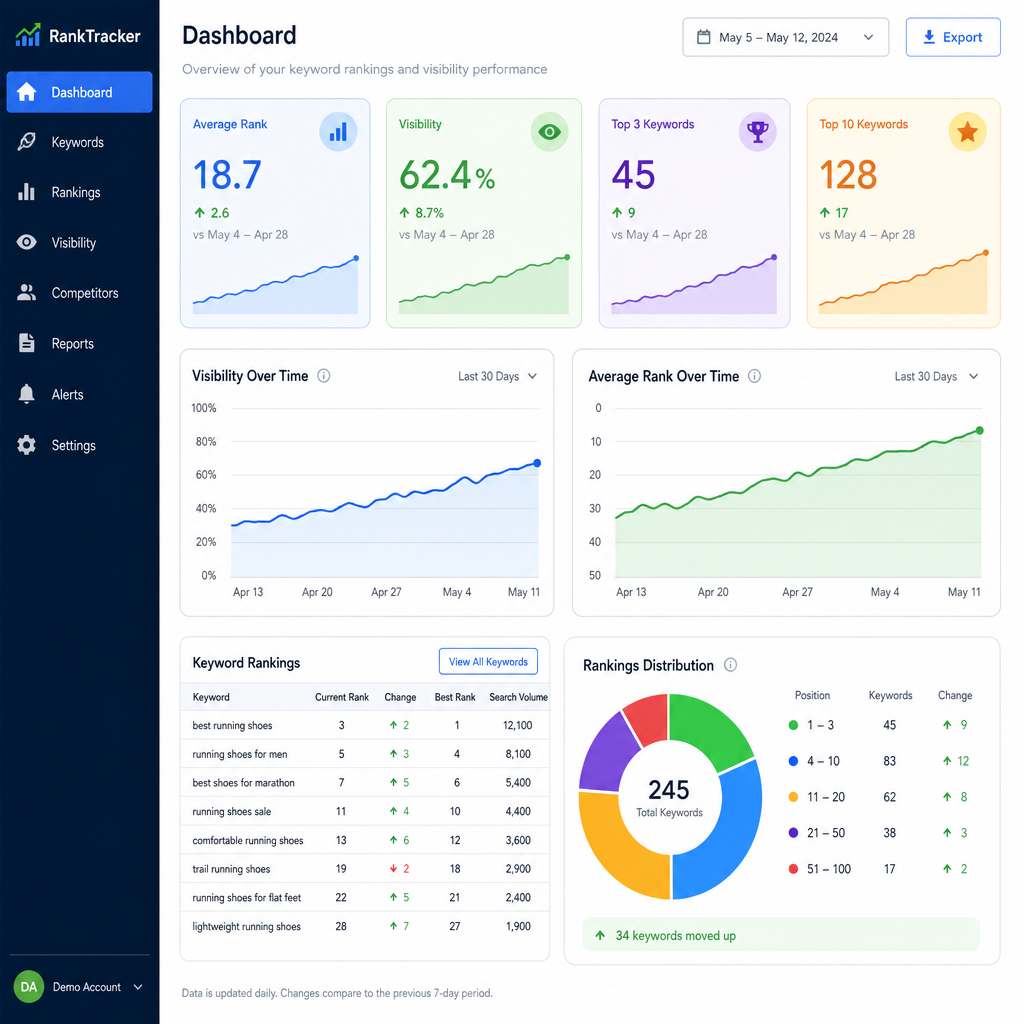
To truly benefit from your data, you need to know what you are looking at. A standard keyword rankings and visibility report should include several key SEO performance metrics:
- Current Rank: The exact search engine ranking position your page holds for a specific query at that given moment.
- Rank Change (Delta): How much your position has moved up or down since the last reporting period.
- Search Volume: The estimated number of times users search for that specific keyword per month.
- Estimated Traffic: The projected number of clicks your site receives based on your current ranking and the keyword’s search volume.
- Visibility Score: A calculated percentage that represents your overall presence in the SERPs across all tracked keywords.
By monitoring these elements, you can shift from a reactive SEO approach to a proactive one.
How to Track Keyword Positions Effectively
Knowing how to track keyword positions accurately is the foundation of any successful SEO campaign. But with so much data available, where should you start?
Google Search Console vs Third Party Trackers
A common debate among marketers is the use of Google Search Console vs third party trackers.
Google Search Console (GSC) is a free, indispensable tool provided by Google. It offers first-party data directly from the source, showing you exactly what queries users typed in to find your site. However, GSC provides average ranking positions over a specified time, which can sometimes mask daily fluctuations.
On the other hand, a dedicated website positioning tool (like Ahrefs, Semrush, or SE Ranking) provides daily, pinpoint-accurate rankings. These third-party tools are essential because they allow you to track specific keywords you want to rank for, rather than just the ones you are already getting impressions for. They also allow you to track your competitors, which GSC does not do.
Ideally, the best approach is to use both. GSC provides the foundation of truth, while third-party tools offer the competitive intelligence necessary for growth.
Selecting the Best Rank Tracking Tools
When evaluating the best rank tracking tools for your stack, look for software that offers:
- Daily ranking updates.
- Mobile vs. desktop tracking.
- Geographic targeting (down to the ZIP code level).
- Integration capabilities with your existing analytics platforms.
Troubleshooting: “Why Are My Rankings Dropping?”
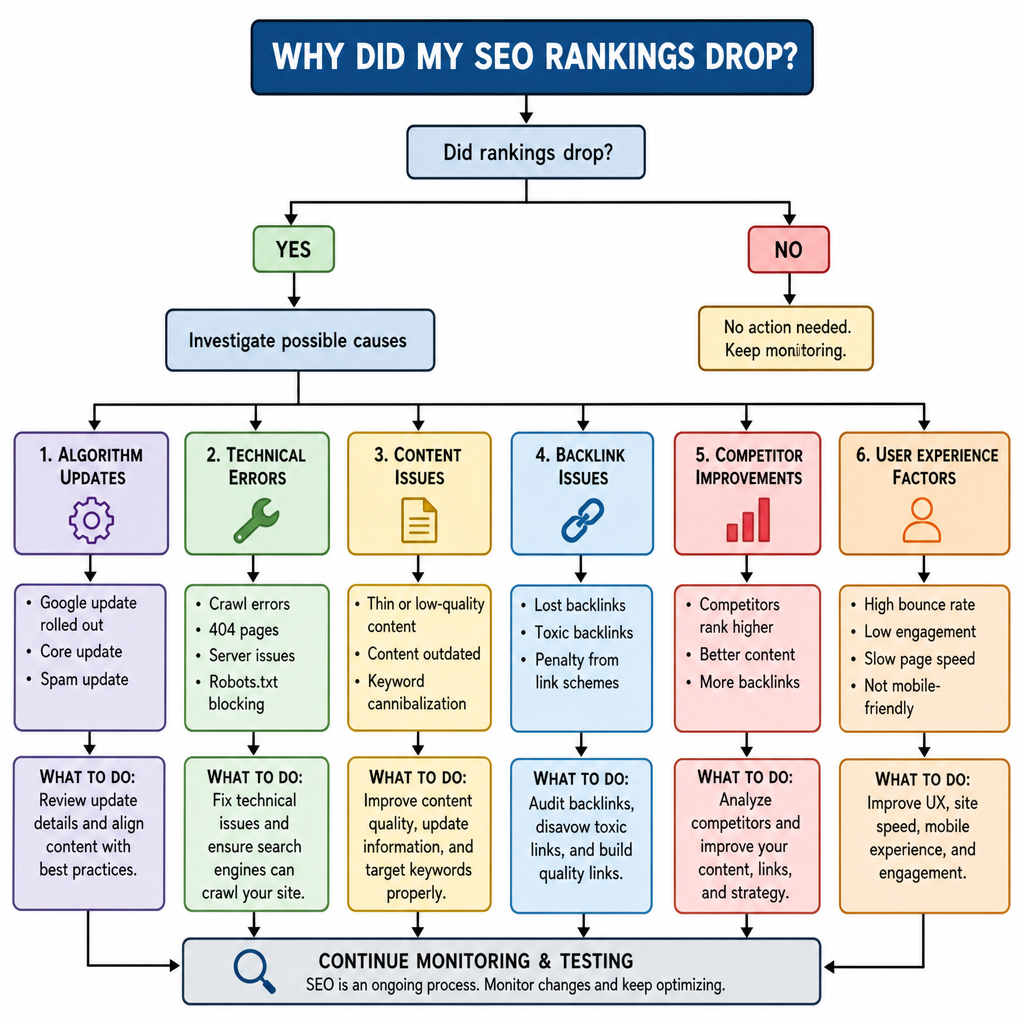
It is a feeling every SEO professional dreads: you open your tracking tool, and a sea of red downward arrows greets you. “Why are my rankings dropping?” is one of the most common questions in digital marketing.
Before you panic and overhaul your entire website, you need to conduct a systematic diagnosis:
- Assess SERP Volatility Impact: Search engines update their algorithms constantly. Use tools like Semrush Sensor or Algoroo to check the SERP volatility impact. If the whole industry is experiencing massive fluctuations, it is likely an algorithm update. Wait a few days for the dust to settle before making drastic changes.
- Check for Technical Issues: Did a recent website update accidentally add a noindex tag? Is your server experiencing downtime? Technical blunders are often the culprits behind sudden ranking drops.
- Evaluate Search Intent: Google wants to provide the most relevant answer to a user’s query. Measuring search intent alignment is crucial. If users are searching for “how to bake a cake” (informational) and your page is trying to sell them a pre-made cake (transactional), Google will eventually drop your ranking because the intent does not match.
- Review On-Page Engagement: Sometimes your search engine ranking position remains stable, but traffic drops. This often means another site has a more compelling meta description. In this case, focus on improving organic click-through rate (CTR) by rewriting your title tags and meta descriptions to be more enticing.
Beyond the Basics: Advanced Ranking Analysis
Once you have mastered the basics, it is time to look at the nuances of the SERPs. Modern search results are no longer just ten blue links; they are dynamic, media-rich environments.
Dominating the Zero Position
Securing a spot in a featured snippet can catapult your organic traffic overnight. Tracking featured snippet performance should be a staple in your search engine ranking reports. Identify queries where you already rank on page one, and structure your content with clear H2s, bulleted lists, and concise answers to “steal” the snippet from competitors.
Mastering Local Search
If you operate a brick-and-mortar business or serve specific geographic areas, generic national rankings mean very little. You must factor in local SEO ranking factors. This involves tracking your position in the Google Local Pack (the map results) and ensuring your Name, Address, and Phone number (NAP) are consistent across the web. Track how your rankings change based on the specific city or neighborhood from which the search is conducted.
Developing a Competitor Rank Tracking Strategy
SEO does not happen in a vacuum. Your ranking goes down because someone else’s goes up. Developing a rigorous competitor rank tracking strategy allows you to reverse-engineer your rivals’ success.
Identify your top three organic competitors—these may be different from your direct business competitors. Track their primary keywords and monitor their new content. If a competitor suddenly jumps in rankings, analyze their page. Did they add a video? Did they acquire high-quality backlinks? Did they update their content for the current year?
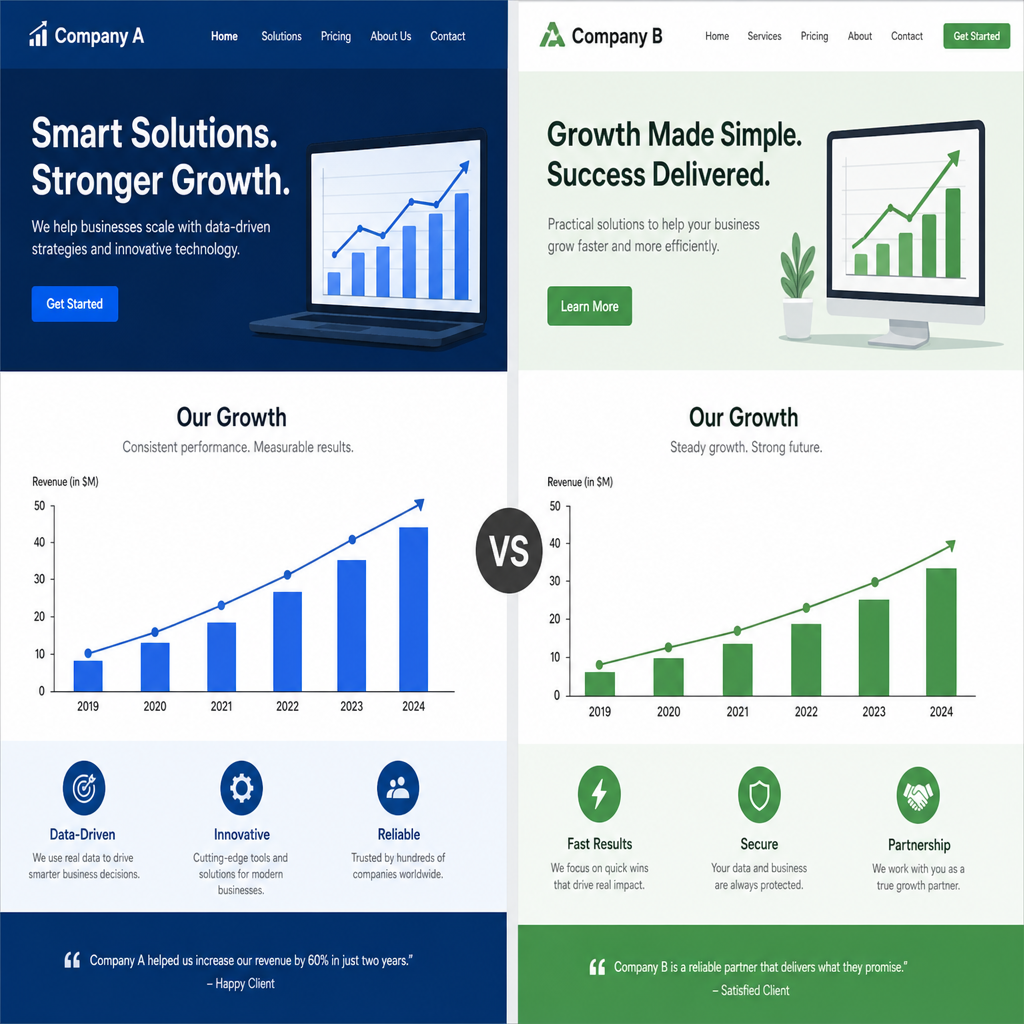
Use this data to perform an organic visibility growth analysis. Compare your visibility score against theirs over a six-month period. If their visibility is growing faster than yours, you need to identify the content gaps in your strategy and fill them aggressively.
Making Sense of the Data: Visualization and Reporting
Data is only useful if it can be easily understood by decision-makers, whether that is your CEO, your marketing team, or your clients. Staring at endless spreadsheets of keyword data is a surefire way to miss the bigger picture.
The Power of Automation
Implementing automated SEO data visualization saves countless hours of manual reporting. By using visual aids like line graphs for historical ranking trends, pie charts for keyword distribution across different pages, and heat maps for CTR, you can tell a compelling story about your website’s performance.
Centralizing Data
For a truly professional setup, consider integrating SEO data into Looker Studio (formerly Google Data Studio). Looker Studio allows you to blend data from Google Search Console, Google Analytics, and your third-party website positioning tool into one seamless, interactive dashboard. You can create custom filters so stakeholders can view rankings by product category, geographic location, or device type.
Agency Reporting
If you run an SEO agency, presentation is everything. Providing raw data exports to clients often leads to confusion and anxiety over normal daily fluctuations. Instead, utilize tools that offer white label client reports. These allow you to brand the dashboards with your agency’s logo, add custom executive summaries explaining why certain metrics moved, and highlight the ROI of your SEO efforts. A well-crafted, easily digestible report is one of the best client retention tools an agency can possess.
Conclusion
Navigating the complexities of SEO requires more than just good intuition; it requires precise, actionable data. By thoroughly understanding search engine ranking reports, you equip yourself with the insights needed to outmaneuver competitors, align with user intent, and drive meaningful organic traffic.
Remember, a single drop in rank is not a failure; it is simply a data point telling you where to optimize next. From tracking featured snippet performance to conducting an in-depth search engine position analysis, the tools and strategies outlined above will help you transform overwhelming metrics into a clear roadmap for digital success. Stay vigilant, keep refining your strategies based on what the data tells you, and watch your organic visibility soar.