
Have you ever wondered why a beautifully designed website packed with incredibly valuable content still struggles to rank on the first page of search results? More often than not, the culprit is invisible to the average visitor. It lies deep within the technical foundation of the site. If search engine bots cannot crawl, understand, or render your website efficiently, all your content marketing efforts will fall flat.
Table of Contents
Learning exactly how to conduct a technical seo site audit is the crucial first step in diagnosing these hidden issues and unlocking your website’s true organic potential. Whether you are a seasoned marketer or a business owner looking for a reliable seo audit guide, understanding the mechanics behind the scenes is non-negotiable.
In this comprehensive walkthrough, we will cover the essential steps to performing a thorough website seo analysis.

What Are Technical SEO Site Audits?
At its core, a technical seo audit is a health check for your website. While on-page SEO deals with keywords and content, and off-page SEO focuses on backlinks, technical SEO ensures that search engine crawlers can seamlessly access, interpret, and index your pages.
Regular technical seo site audits help you stay ahead of algorithm updates, prevent traffic drops, and ensure a frictionless user experience.
Equipping Yourself: Essential SEO Audit Tools
You cannot diagnose a digital problem without the right software. Before diving into the nitty-gritty, you need to gather your seo audit tools.
- Google Search Console (GSC): This is your direct line of communication with Google. It provides invaluable data on how the search engine views your site.
- Google Analytics (GA4): Essential for tracking user behavior and identifying sudden traffic drops on specific pages.
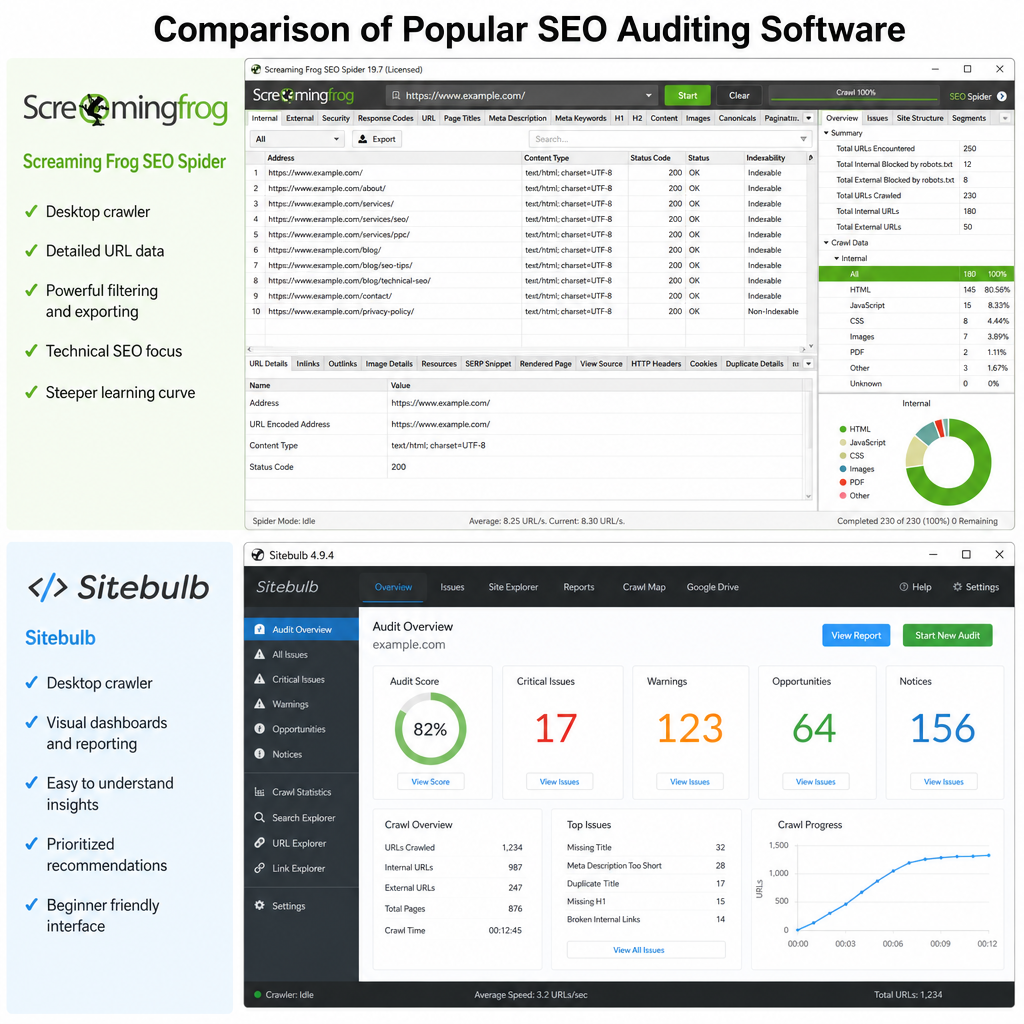
- Website Crawlers: To simulate how search engines crawl your site, you need a dedicated crawling tool.
- When weighing Screaming Frog vs Sitebulb for site audits, remember that both are industry standards. Screaming Frog is beloved for its raw data extraction and spreadsheet-like interface, making it perfect for granular, technical deep dives. Sitebulb, on the other hand, excels at data visualization and provides excellent, easy-to-understand recommendations, which is incredibly helpful when presenting findings to clients or stakeholders.
Phase 1: Crawlability and Indexability
A great starting point, especially if you are following a technical SEO audit checklist for beginners, is ensuring your site can actually be found and saved by search engines.
Diagnosing Indexing Issues
If you find yourself frantically searching, “why is my website not indexing on Google?“, the first place to look is the “Pages” report in Google Search Console. Here, you can begin fixing crawl errors in Google Search Console. Look out for pages marked as “Discovered – currently not indexed” or “Crawled – currently not indexed.” These errors usually indicate that Google found the URL but decided it wasn’t worth the server resources to index it, often due to low-quality content or a lack of internal links.
Robots.txt and XML Sitemaps
Your robots.txt file acts as the bouncer for your website, telling search engine bots where they are and aren’t allowed to go. Conversely, your XML sitemap acts as a roadmap, highlighting the most important pages you want indexed.
Adhering to robots.txt and XML sitemap best practices is critical:
- Ensure your robots.txt file isn’t accidentally blocking crucial site directories (like CSS or JavaScript files).
- Keep your XML sitemap clean. It should only contain 200 OK, indexable, and canonical URLs. Do not include redirected or 404 pages.
- Submit your clean sitemap directly through Google Search Console.
Phase 2: Site Structure and Navigation
How you organize your website dictates how easily link equity (ranking power) flows from your homepage to your deeper product or blog pages.
Architecture Optimization
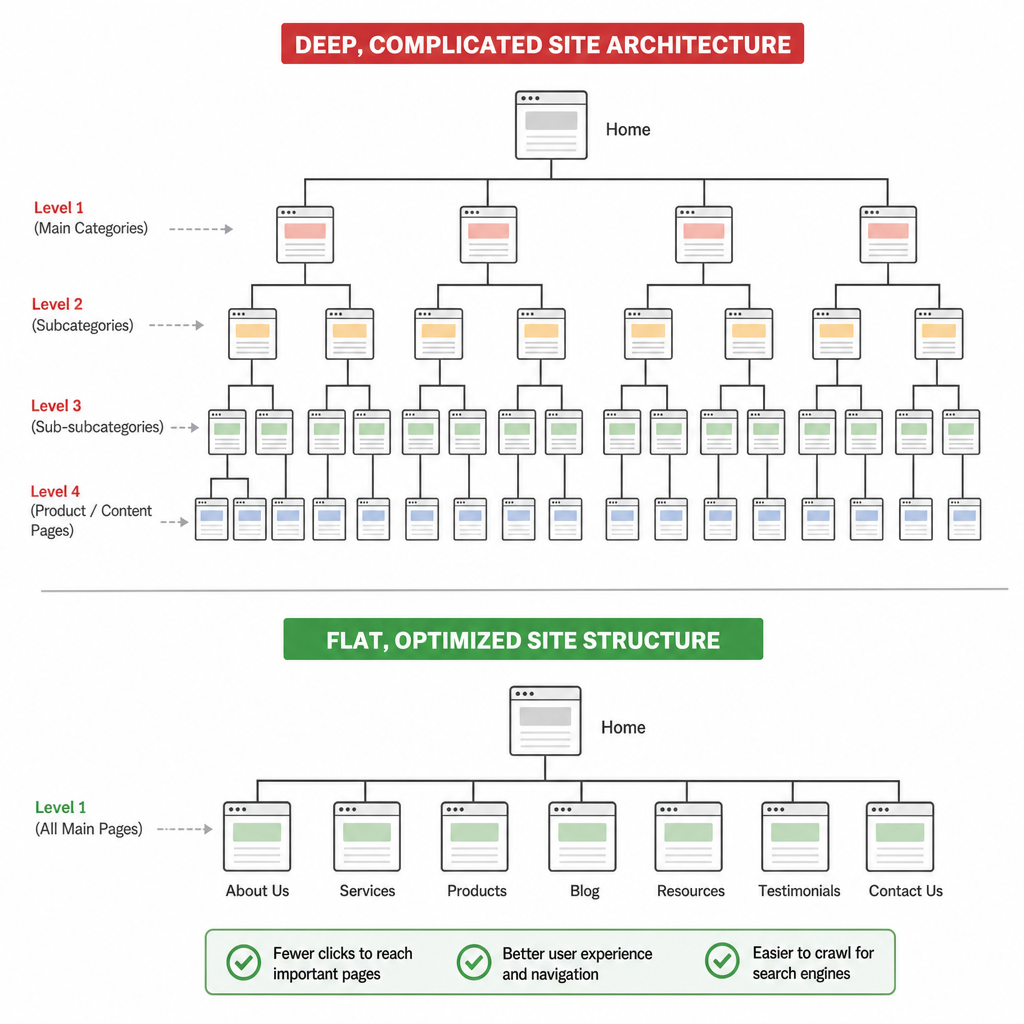
Optimizing site architecture for search engines usually means aiming for a “flat” architecture. As a general rule, a user—and a search engine crawler—should be able to reach any page on your website within three or four clicks from the homepage. A logical hierarchy (Homepage > Category > Sub-category > Product) helps search engines understand the topical relevance of your pages.
Internal Linking
A vital part of any audit is identifying and fixing broken internal links. When a crawler hits a 404 error via an internal link, it wastes time and halts the flow of link equity. Use your crawling tool to find all 404 pages linked internally and update them to point to live, relevant pages.
Conserving Crawl Budget
For enterprise-level eCommerce stores or massive publishing platforms, managing crawl budget for large websites is a high priority. Google only allocates a specific amount of time to crawl your site. If it wastes that budget on faceted navigation parameters, outdated tag pages, or infinite scroll loops, your most important new content won’t get crawled. Use robots.txt to disallow low-value URL parameters and ensure your site architecture is highly efficient.
Phase 3: Content Duplication and Canonicalization
Search engines want to serve unique, valuable content. Technical issues can often accidentally create thousands of duplicate pages, severely confusing search engine bots.
Tackling Duplicate Content
Learning how to resolve duplicate content issues is a cornerstone of technical SEO. Duplication often happens via URL parameters (e.g., sort=price vs sort=color), trailing slashes (domain.com/page vs domain.com/page/), or HTTP/HTTPS variations.
The Power of Canonical Tags
To fix these variations, you need a strong canonical tag implementation guide. A canonical tag (rel=”canonical”) sits in the HTML header of a page and tells search engines, “Out of all these similar pages, this specific URL is the master copy that should be indexed.”
- Always self-canonicalize standard pages.
- Ensure parameterized URLs point their canonical tag back to the clean, original URL.
- Avoid conflicting canonical tags, which can happen if your CMS and an SEO plugin are both injecting tags simultaneously.
Redirect Chains and Loops
Over the years, as websites evolve, URLs change. A common problem is conducting a redirect chain audit. A redirect chain occurs when Page A redirects to Page B, which then redirects to Page C. This slows down page speed and dilutes link equity with every hop. Use Screaming Frog or Sitebulb to map out these chains and update the original internal links to point directly to the final destination URL (Page C).
Phase 4: Performance, Speed, and User Experience (UX)
Google’s algorithms heavily favor websites that provide a seamless, fast, and mobile-friendly experience. Technical SEO must bridge the gap between backend server performance and frontend user experience.
Core Web Vitals
You cannot ignore the necessity of improving Core Web Vitals for better rankings. These are specific user-centric metrics Google uses to measure page experience:
- Largest Contentful Paint (LCP): Measures loading performance. Aim for an LCP of 2.5 seconds or faster.
- Interaction to Next Paint (INP): Measures interactivity and UI responsiveness. Good INP is under 200 milliseconds.
- Cumulative Layout Shift (CLS): Measures visual stability. Ensure buttons and text don’t jump around as the page loads. Aim for a CLS of 0.1 or less.
Mobile-First Indexing
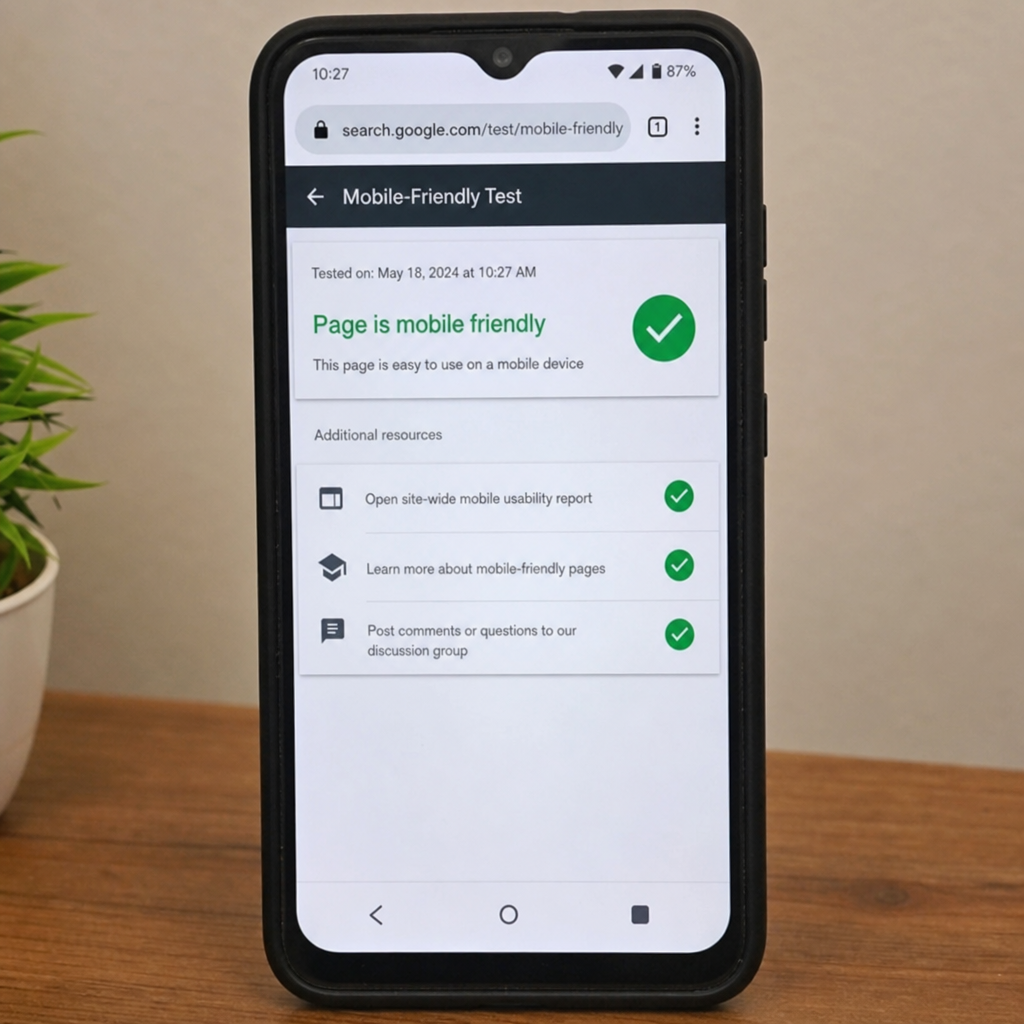
Since Google predominantly uses the mobile version of the content for indexing and ranking, auditing mobile-first indexing compatibility is mandatory.
- Ensure your mobile site has the exact same vital content, structured data, and metadata as your desktop site.
- Check that the mobile layout is responsive, touch elements are adequately spaced, and fonts are legible without zooming.
JavaScript Rendering
Modern websites often rely heavily on JavaScript frameworks (like React, Angular, or Vue). However, understanding the impact of JavaScript rendering on SEO is crucial. Search engines process HTML easily, but executing JavaScript requires a second wave of rendering, which consumes a lot of computing resources.
- If your core content relies entirely on client-side rendering (CSR), Google might miss it entirely during the initial crawl.
- To fix this, consider implementing Server-Side Rendering (SSR) or Dynamic Rendering to serve fully rendered HTML directly to search engine bots, ensuring they can read your text and follow your links instantly.
Phase 5: Advanced Technical SEO Elements
Once the foundation of crawlability, structure, and speed is solid, it is time to optimize how your listings appear in the actual search engine results pages (SERPs).
Schema Markup and Structured Data
Search engines are smart, but they still appreciate context. Implementing schema markup for rich snippets translates your content into a language search engines natively understand (JSON-LD).
- If you have an eCommerce site, implement Product schema to show prices, stock status, and reviews directly in the search results.
- If you write articles, use Article or FAQ schema.
- Rich snippets drastically improve Click-Through Rates (CTR), giving you an edge over competitors who occupy the same SERP but feature plain text snippets.
Run your pages through Google’s Rich Results Test tool to validate your code and ensure there are no missing required fields.
The Ultimate Takeaway
Navigating the complexities of search engine algorithms might seem daunting, but breaking the process down systematically makes it highly manageable. A proper site audit checklist is a living document; because websites are dynamic, continuous monitoring is required to maintain peak performance.
By mastering how to conduct a technical seo site audit, you empower your website to step out of the shadows. From optimizing your site architecture and speeding up Core Web Vitals to fixing frustrating indexation errors, every technical tweak you make lays down a smoother, clearer path for search engines to reward your content with the traffic it deserves. Make technical auditing a quarterly habit, and watch your organic visibility soar.
Read more on Understanding Site architecture SEO