Imagine walking past a busy bookstore. What makes you stop, pick up a specific book, and read the back cover? Nine times out of ten, it is a compelling title. In the digital landscape, your website title serves the exact same purpose. When users type a query into a search engine, the bold, clickable links they see represent their very first interaction with your brand. If you want to capture their attention and earn their visit, mastering this small but mighty piece of text is non-negotiable.
While it may seem like a minor detail, the impact of titles on seo ranking is massive. Search engines use them to understand the core topic of your content, while human users rely on them to decide if your link is worth their time.
Table of Contents
In this comprehensive guide, we will break down everything you need to know about crafting the perfect titles to drive traffic, rank higher, and build a magnetic online presence.
Back to Basics: Defining Your Titles
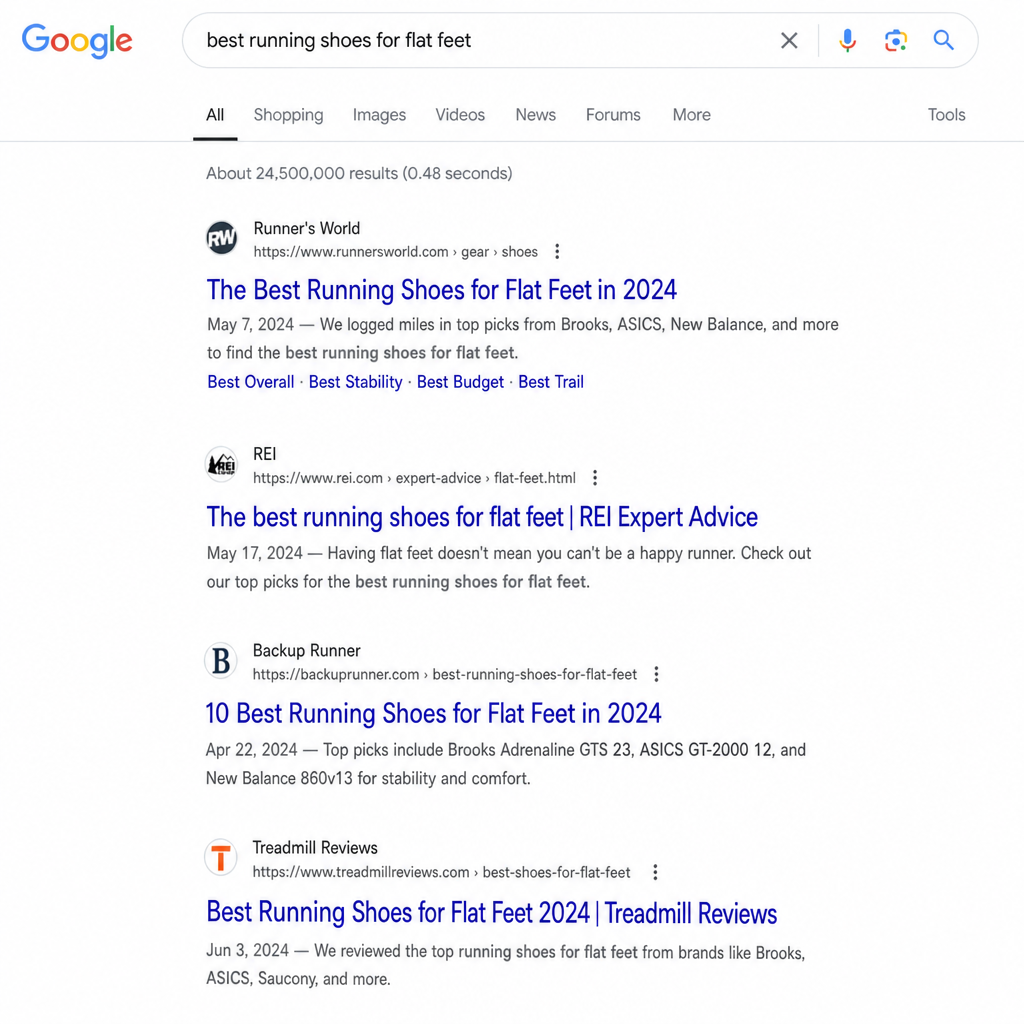
Before we dive into advanced strategies, we need to clarify the terminology. Many website owners find themselves asking: what is a web title, exactly?
In web development and search engine optimization, a website title (often referred to simply as a page title) is a specific piece of HTML code that dictates the name of a webpage. If you want to understand the exact seo title meaning, it refers to this same HTML element when it is specifically optimized to rank well in search engines and attract user clicks.
This text does not actually appear on the visible canvas of your webpage. Instead, you will find your seo page title in three primary locations:
- Search Engine Results Pages (SERPs): As the main clickable link.
- Web Browser Tabs: Helping users identify your page when they have multiple tabs open.
- Social Media Shares: As the default headline when someone shares your link on platforms like LinkedIn, Facebook, or X (formerly Twitter).
Technical Placement and Standards
Following HTML head element best practices, your title must be placed within the <head> section of your website’s HTML code. It looks like this: <title>Your Perfectly Optimized Title Goes Here</title>
The Great Debate: Meta Tag vs H1 Header
A common area of confusion for beginners is the difference between a meta tag vs h1 header.
- The Title Tag: As mentioned, this lives in the HTML header and is seen on search engines and browser tabs. Think of it as the title on the spine of a book.
- The H1 Header: This is the main visible headline on your actual webpage. Think of it as the title printed at the top of chapter one.
While they should be closely related and cover the same topic, they do not have to be identical. You can make your title tag more SEO-focused for search engines, while keeping your H1 more conversational for users who have already landed on your site.
The Art and Science of Length
Once you understand what a title is, the very next question is usually: how long should a page title be?
The answer is a bit more nuanced than a simple character count. Google and other search engines do not actually measure titles by the number of letters; they measure them by pixels. The current pixel limit for desktop search results is approximately 600 pixels.
Because letters have varying widths (an “W” takes up much more space than an “i”), the general rule of thumb for the character limit for search results is between 50 and 60 characters. If you stay within this range, you can generally be confident that your entire text will display correctly.
The Danger of Truncation
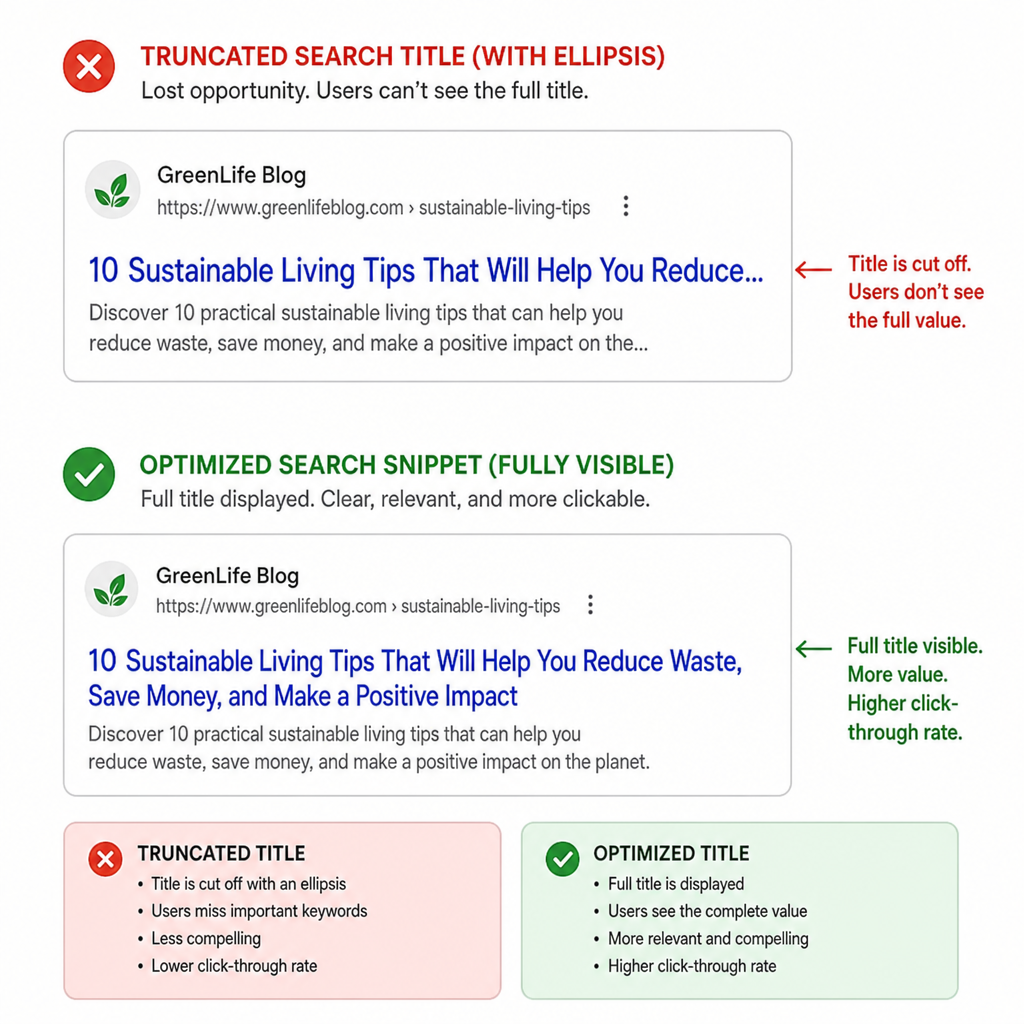
If your title exceeds the 600-pixel limit, search engines will cut it off and append an ellipsis (…) at the end. This is known as truncation. While a truncated title won’t directly trigger a manual penalty from Google, it creates a poor user experience. It can obscure your core message, hide your brand name, and ultimately lower your click-through rate.
Fixing truncated search snippets should be a regular part of your site audits. To avoid this issue proactively, you should always use a SERP preview tool before publishing a new page. These free online tools allow you to type in your proposed title and see exactly how it will look on both mobile and desktop search results, ensuring your message is displayed perfectly.
Strategic Keyword Placement and Best Practices
Writing for the web requires a delicate balance between appeasing search engine algorithms and appealing to human psychology. Optimizing page title tags requires you to merge both seamlessly.
Here are the essential seo title best practices you need to follow:
1. Master Front-Loading
When it comes to keyword placement for higher rankings, location matters. Search engines tend to assign more weight to words that appear at the beginning of a title. Similarly, human users typically scan results from left to right (in Western languages) and make snap judgments within a fraction of a second.
Front-loading important keywords means putting your primary target keyword as close to the beginning of the title as naturally possible.
- Weak: A Complete Guide to Buying the Best Espresso Machines
- Strong (Front-loaded): Espresso Machines: The Complete Buying Guide for 2024
2. Prioritize Search Intent
Your seo title must accurately reflect the content of the page and match the user’s search intent. Are they looking to buy something, learn something, or find a specific website? If your title promises a “Step-by-Step Tutorial” but the page is just a product sales page, users will immediately bounce, which signals to Google that your page is not a good result.
3. Avoid Keyword Stuffing
In the early days of SEO, webmasters would cram as many keywords into a title as possible (e.g., Cheap Shoes, Buy Shoes Online, Discount Footwear). Today, search engine algorithms are incredibly sophisticated. Keyword stuffing looks spammy to users and will likely harm your rankings. Use your primary keyword once, perhaps a secondary variation if it flows naturally, and focus the rest of the characters on compelling, descriptive language.
4. Leverage Branding
Do not forget about branding in search engine results. If you have an established brand, or if you are trying to build one, including your brand name at the end of your titles can build trust and recognition. The standard format used by most SEO professionals is: Primary Keyword – Secondary Keyword | Brand Name
For example: Organic Dog Food – Grain-Free Kibble | PetPaws
The Bigger Picture: Clicks, Snippets, and Relationships
Ranking on the first page of Google is only half the battle. If nobody clicks on your link, your high ranking is practically useless. This is where improving organic click-through rate (CTR) comes into play.
Designing the Perfect Snippet
Crafting clickable search snippets requires you to think like a copywriter. Your snippet is essentially a tiny billboard for your website. To make it irresistible, try incorporating emotional triggers, numbers, or power words. Words like Ultimate, Proven, Step-by-Step, Fast, or Current Year (e.g., 2024) can make your result stand out in a sea of generic titles.
The Dynamic Duo: Titles and Descriptions
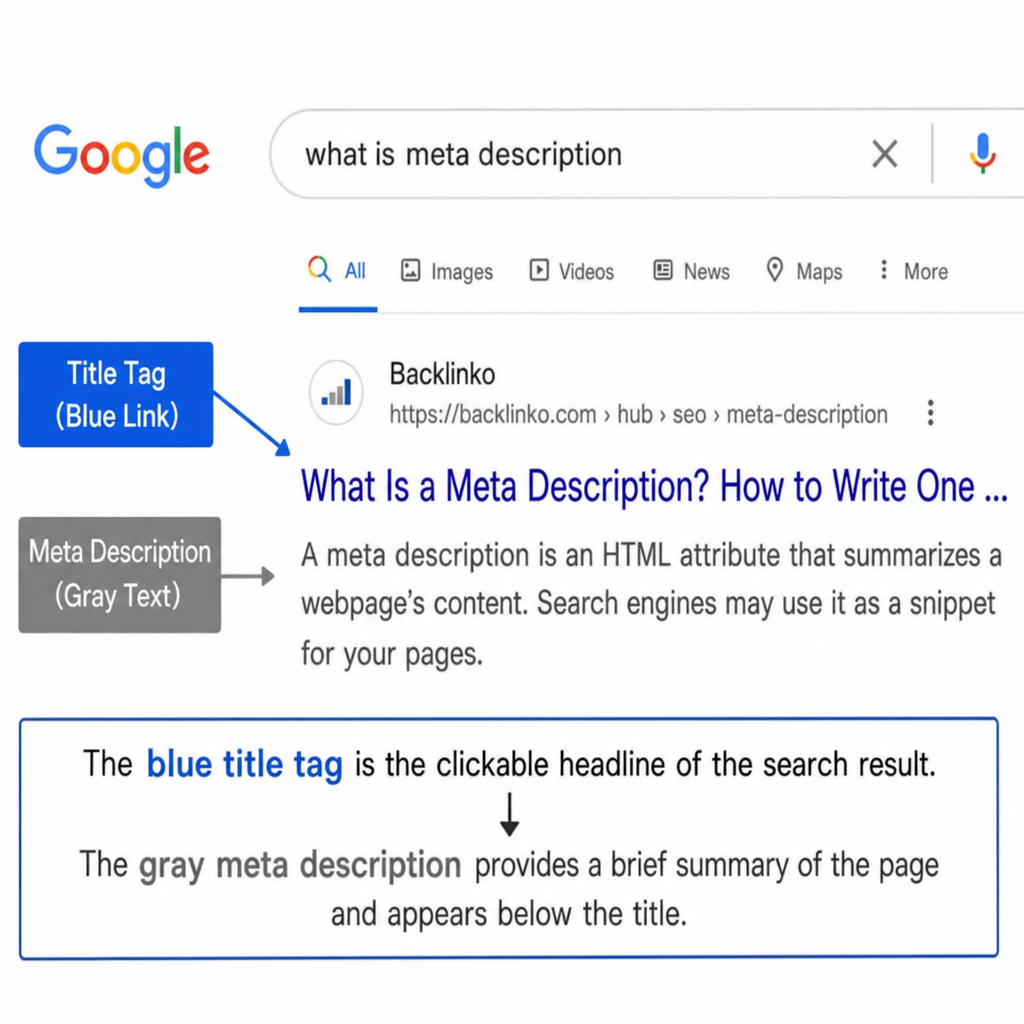
It is impossible to talk about titles without discussing the meta description and title relationship. While the title tag acts as the headline, the meta description (the brief paragraph of text beneath the title in search results) acts as the supporting subheadline.
They must work together harmoniously. The title should hook the reader’s attention and declare the main topic, while the meta description should provide context, expand on the value proposition, and include a clear call-to-action (like “Read more,” “Shop now,” or “Learn how”). If your title asks a compelling question, your meta description should tease the answer.
The Google Wildcard: Why Your Title Might Change
Even if you follow every rule in the book, you might one day search for your website and discover that your carefully crafted title looks completely different. This leads to a very common, often frustrating question: why Google changes your search listing?
In recent years, Google has become increasingly aggressive about rewriting titles dynamically. They do this when their algorithm determines that your provided HTML title does not accurately describe the page, is keyword-stuffed, is too long, or simply doesn’t answer the user’s specific query as well as it could.
When Google rewrites a title, they often pull text from:
- Your H1 header or other prominent heading tags.
- Internal anchor text pointing to your page.
- Paragraph text found directly on the page.
While you cannot force Google to use your exact title 100% of the time, the best defense against unwanted rewrites is writing highly relevant, concise, and user-focused titles from the start. If your original title perfectly aligns with what the user is searching for, Google is far less likely to alter it.
Conclusion
Choosing the perfect website title is equal parts technical precision and creative marketing. It is the bridge between your website’s content and the millions of users searching for answers on Google every single day.
By understanding the technical requirements, respecting pixel limits, front-loading your most critical keywords, and writing for human psychology, you can transform your titles from simple labels into powerful conversion tools. Take the time to audit your current pages, run your ideas through a SERP previewer, and watch as your organic rankings and click-through rates begin to soar. Your website’s first impression is entirely in your hands—make it count.
Read more on how to boost your search position